Advanced Mode, Deploy Time Limit and Deleting an App
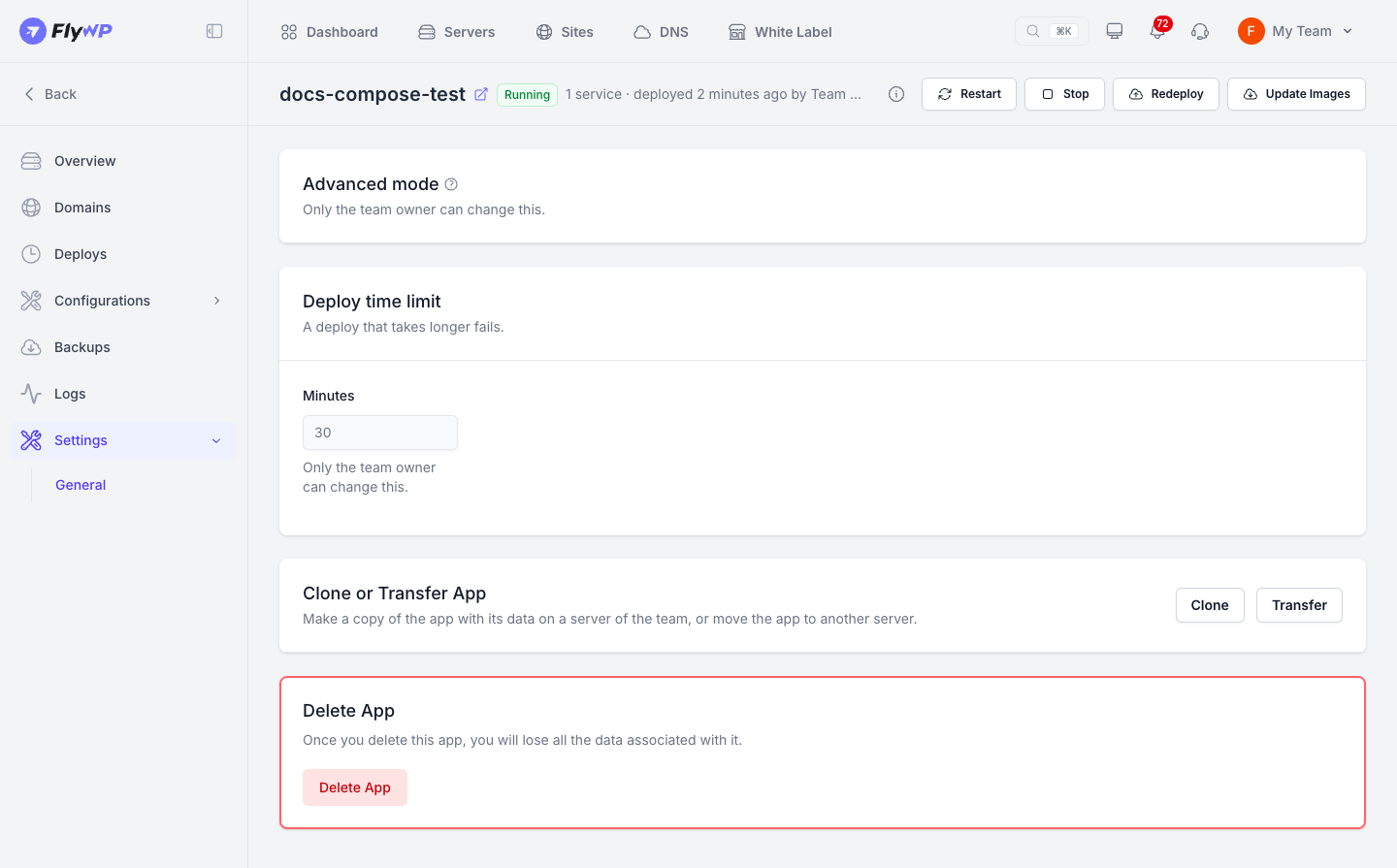
The General page under Settings lets you manage advanced mode, set deploy time limits, clone or transfer the app, and delete it.
Advanced mode
Section titled “Advanced mode”Advanced mode unlocks elevated permissions that give your app deeper control over the server. Without it enabled, FlyWP's validation check blocks these settings. See Compose file rules for the full list.
Advanced mode applies only to this specific app. It allows:
- Privileged mode
- Extra Linux capabilities
- Direct device access
- Host server networking
- Directory mounts outside the app folder
The Docker control socket and FlyWP's reserved ports remain strictly blocked.
To turn it on:
- Open your app and go to Settings → General.
- Under Advanced mode, click Turn On.
- Type the server name to confirm, then click Turn On again.
To turn it off, click Turn Off. FlyWP won't let you disable advanced mode while your currently running version still uses advanced settings, and will list the lines you need to remove first.
Only the team owner can turn advanced mode on or off.
Deploy time limit
Section titled “Deploy time limit”If a deploy exceeds this timeout, it fails automatically. You can set the limit between 30 and 60 minutes under Deploy time limit. Only the team owner can change this setting.
Clone or transfer
Section titled “Clone or transfer”The Clone or Transfer App section links to options for cloning and transferring your app.
Delete the app
Section titled “Delete the app”Deleting an app permanently removes:
- All app services
- The app folder on the server
- All persistent data stored in its volumes
- Associated domains and SSL certificates
- Its saved versions
This action cannot be undone. Create a backup first if you want to keep any data.
- Open your app and go to Settings → General.
- Click Delete App.
- Type the name of the app to confirm, then click Delete App again.
Only users with permission to delete the app will see this section.
Still stuck? How can we help?
View as Markdown