Environment Variables for Laravel, Symfony & PHP Sites
The Environment page lets you edit your application's .env file from the FlyWP dashboard, without SSH. Use it to set the keys your app needs, such as mail, payment, or API credentials.
Edit the file
Section titled “Edit the file”-
Open your site and click Environment in the site menu.
-
Edit the file in the editor. Each line is
NAME=value. -
Click Update Environment.
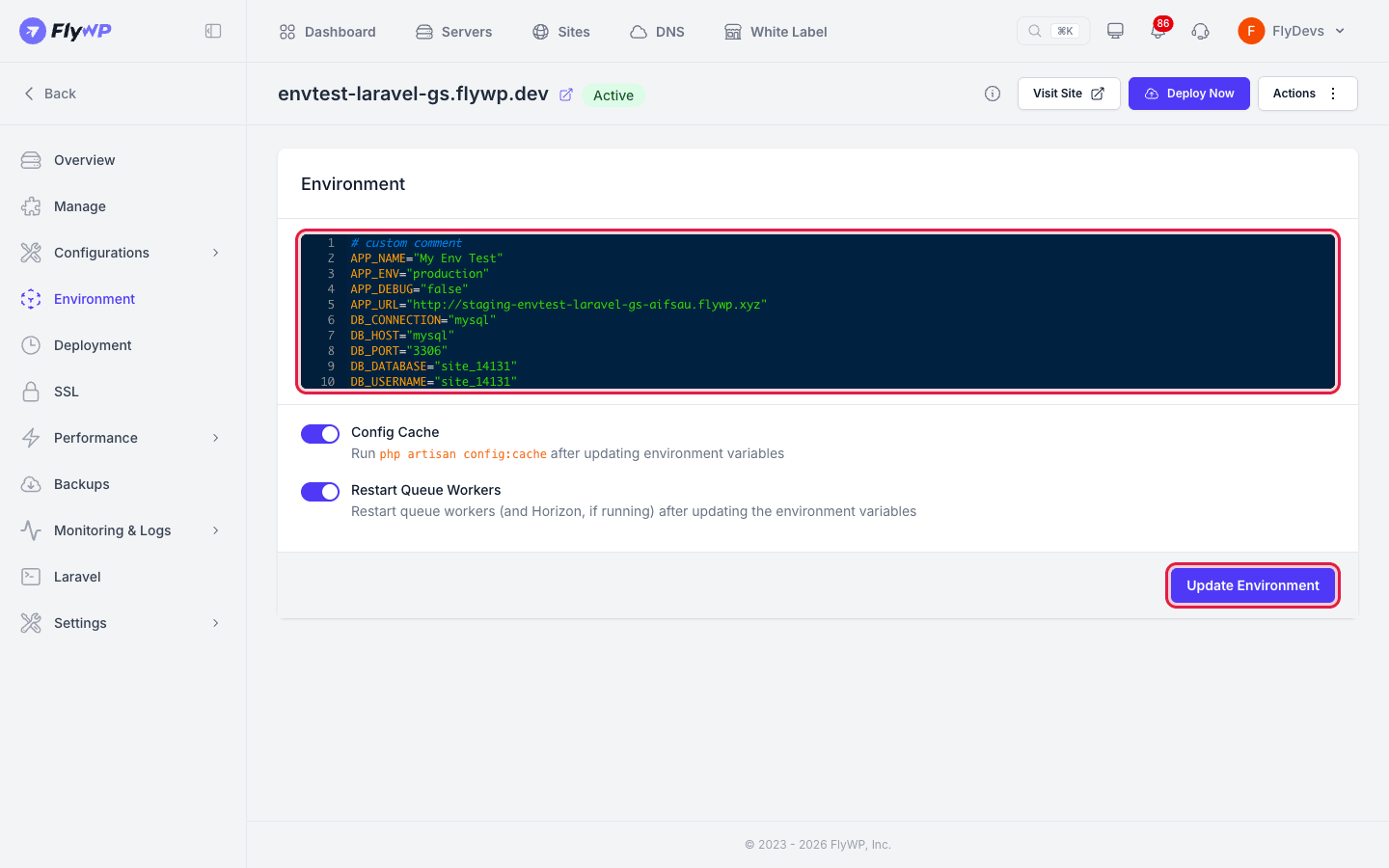
For a new site, you can also reach the editor with Edit .env on the Ready to deploy card. The editor loads the file from the server, so it shows a spinner for a moment.
What is in a new .env
Section titled “What is in a new .env”- Laravel: when the site is built, FlyWP writes
APP_NAME,APP_ENV(production),APP_DEBUG(false),APP_URL, a generatedAPP_KEY, theDB_*database settings, and theREDIS_*settings. - Symfony and PHP: the file starts empty.
On the first deployment, FlyWP adds any keys from your repository's .env.example that are missing from .env, without changing values that are already there. If your repository tracks its own .env, FlyWP keeps the site's .env file.
Before the first deployment, saving only stores the file. You see Environment saved. The first deploy uses it.
If FlyWP cannot read the file from the server, the page shows the error instead of the editor.
Apply the change on Laravel sites
Section titled “Apply the change on Laravel sites”A Laravel app serves cached configuration, and queue workers read .env once when they start. Neither picks up a saved change on its own, so Laravel sites show these switches below the editor:
| Switch | What it does |
|---|---|
| Config Cache | Runs php artisan config:cache after the file is saved. On by default. |
| Restart Queue Workers | Restarts the queue workers, and Horizon if it is running, after the file is saved. Shown only when a queue worker or Horizon is running. On by default. |
Leave both on unless you have a reason not to. See Queue workers.
After you save, a message lists what ran, for example Environment updated. Config cache rebuilt and queue workers restarted. If a step fails, the message says what was saved and which step failed.
Symfony and PHP sites show the editor only, and FlyWP runs nothing after saving. If your app caches its configuration, clear that cache or deploy again.
Related guides
Section titled “Related guides”- Laravel, Symfony & PHP Apps overview
- Environment File Editor (the general editor page)
Still stuck? How can we help?
View as Markdown