Inertia SSR for Laravel Sites on FlyWP
If your Laravel app uses Inertia with server-side rendering (SSR), FlyWP can run the SSR server for you. You turn it on from the Laravel page.
Before you begin
Section titled “Before you begin”- Install
inertiajs/inertia-laraveland set up SSR in your app. - Configure your build to output the SSR bundle at
bootstrap/ssr/ssr.js, for example by usingvite build --ssrin your site's Build command.
Turn on SSR
Section titled “Turn on SSR”- Deploy your app once with the SSR bundle built.
- Open your Laravel site and click Laravel in the site menu.
- In the Inertia SSR card, switch on Run the Inertia SSR server. The switch appears only when Inertia is installed and the bundle exists.
- Click Save Changes.
FlyWP runs php artisan inertia:start-ssr alongside your site. It uses the Inertia default address http://127.0.0.1:13714, so you do not need to change your app's SSR settings. FlyWP first shows Laravel settings updated. Changes may take a moment to take effect. and then shows Laravel settings applied successfully.
What the card tells you
Section titled “What the card tells you”| Message | Meaning |
|---|---|
| Inertia SSR (info) | inertiajs/inertia-laravel was not found in your composer.json. Install it and set up SSR to use it here. |
| SSR not built | Inertia is installed, but no SSR bundle was found. Configure SSR and rebuild before enabling it. |
| SSR bundle missing | The switch is on, but bootstrap/ssr/ssr.js does not exist yet. The SSR service waits until your build produces it. |
While the card checks your site, it shows Checking SSR setup….
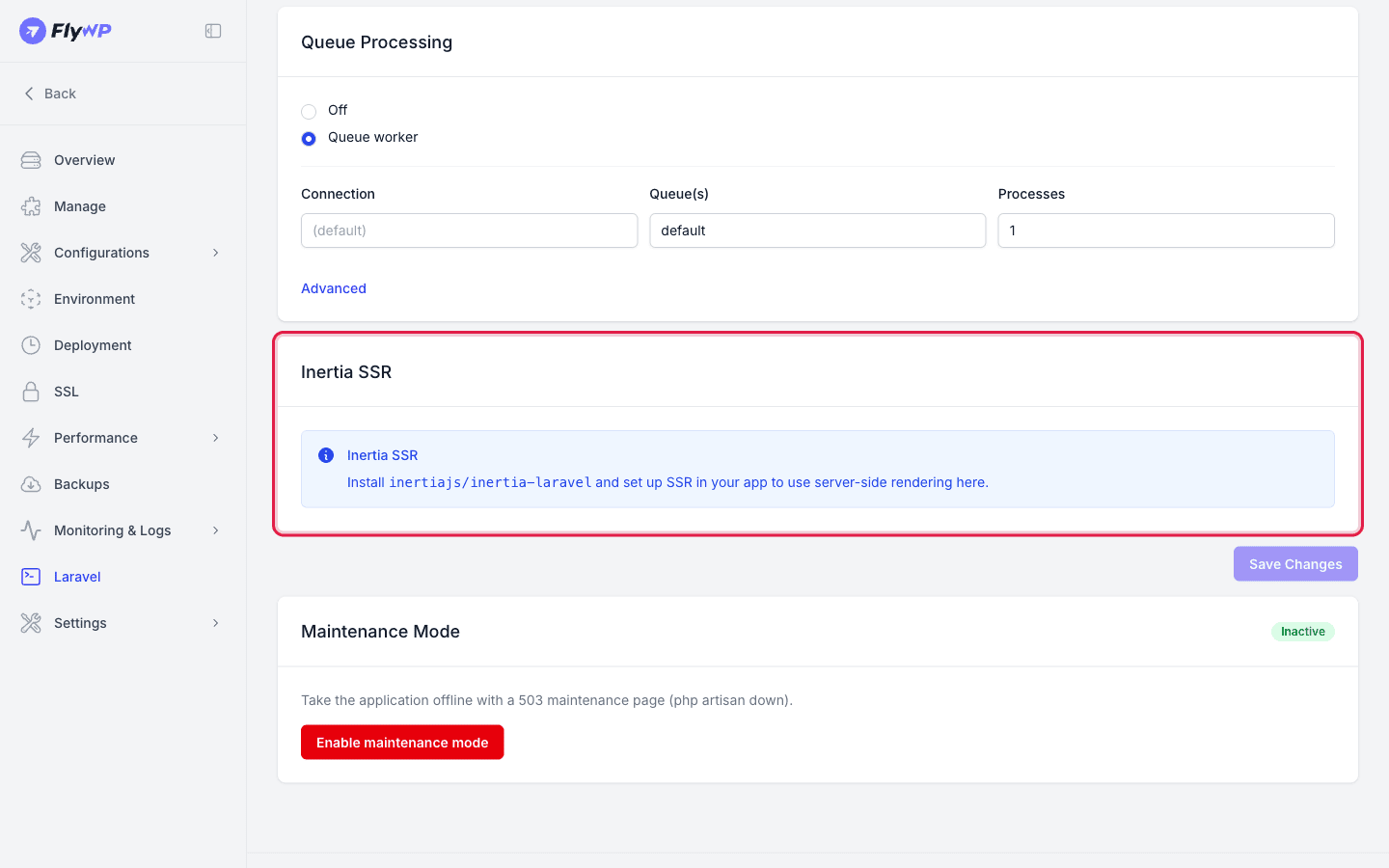
If the bundle is missing or not built yet, make sure your build produces it and deploy again so it is created.
Laravel Octane
Section titled “Laravel Octane”If FlyWP detects Octane, the Laravel page shows a notice that managed support is coming soon. Octane is not managed from this page yet.
Related guides
Section titled “Related guides”Still stuck? How can we help?
View as Markdown