SSL Installation Checks and Warnings
FlyWP checks sites and site aliases before installing SSL certificates. Potential issues are detected in advance, with clear warnings shown before installation so you can address them before proceeding.
Review checks before installation
Section titled “Review checks before installation”Access path: Dashboard → Sites → choose a site → SSL.
-
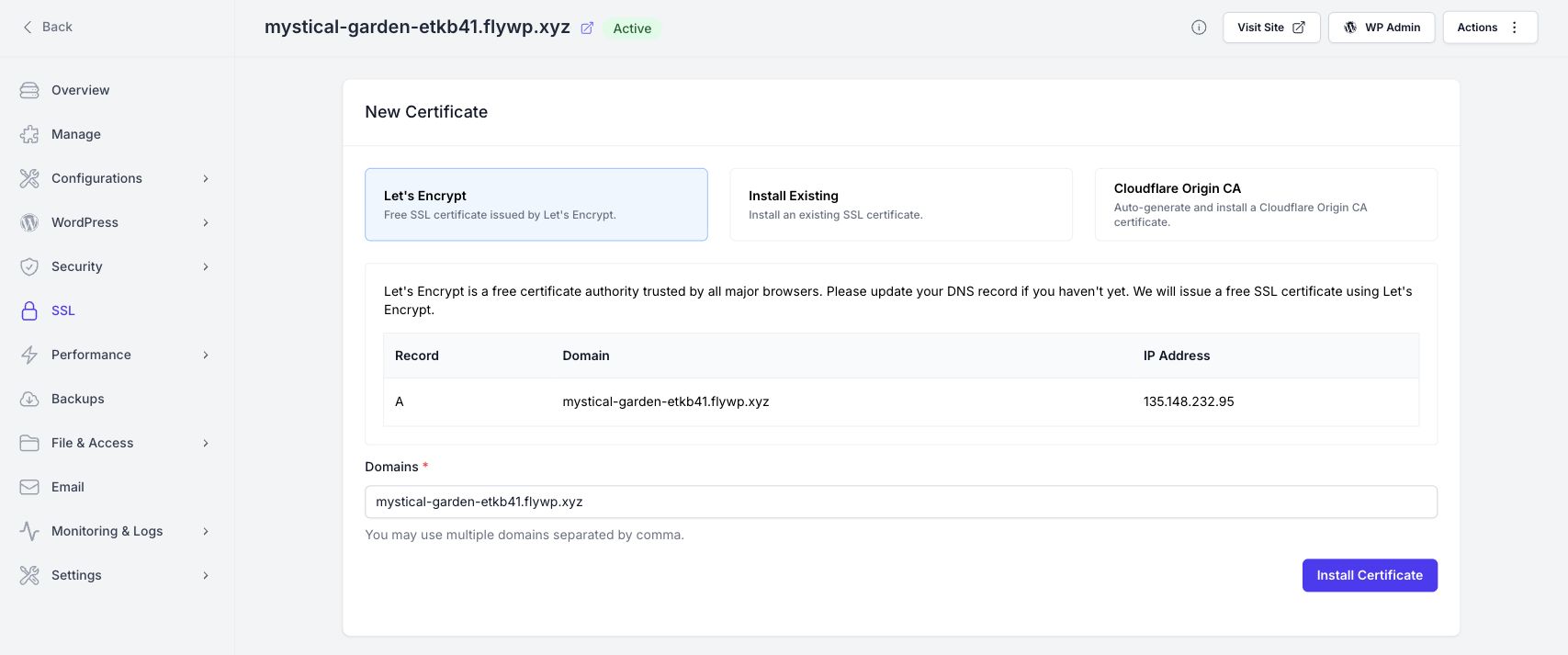
Under New Certificate, choose Let’s Encrypt, Install Existing or Cloudflare Origin CA.
-
Review the selected domains and any site aliases that should be covered. For Let’s Encrypt, the Domains field accepts multiple domains separated by commas; the page also shows the expected DNS record and server IP.
-
Read any checks and warnings presented before installation. Correct the issue for each affected site or alias, then review the result before proceeding.
-
Once ready, complete the chosen certificate installation flow. Confirm the resulting certificate under Current Certificates and check HTTPS for each included domain.
Resolve SSL warnings before proceeding
Section titled “Resolve SSL warnings before proceeding”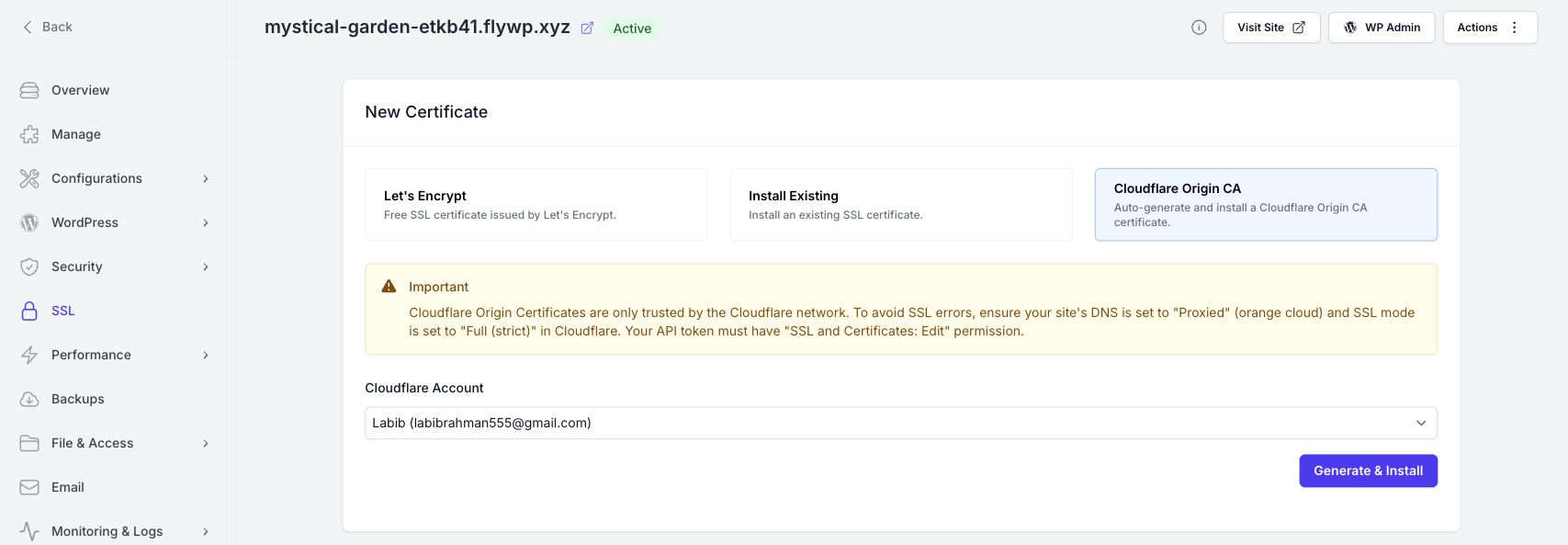
Cloudflare Origin CA requirements
Section titled “Cloudflare Origin CA requirements”The Important notice explains that Cloudflare Origin Certificates are trusted only by the Cloudflare network. Set the site’s DNS record to Proxied and use Full (strict) SSL mode in Cloudflare. Confirm that the connected account’s token can edit SSL and certificates, then choose the correct Cloudflare Account before Generate & Install.
Site and alias checks
Section titled “Site and alias checks”Treat each domain named in a warning as a separate item to resolve. For a DNS-related issue, compare that domain’s DNS configuration with the target shown in FlyWP. For a certificate or provider issue, follow the warning’s stated requirement. Review aliases as well as the primary domain before proceeding.
Frequently asked questions
Section titled “Frequently asked questions”Does seeing a warning mean installation succeeded? No. A warning is shown before installation so you can review and resolve potential issues. Confirm the installed certificate’s status afterwards.
Why check aliases too? An alias is another hostname visitors may use. Review the coverage and readiness of every hostname you intend to secure.
Further reading
Section titled “Further reading”Still stuck? How can we help?