Laravel Scheduler on FlyWP
Laravel's scheduler runs the tasks you define in your app, such as nightly clean-ups or report emails. On a Laravel site, FlyWP runs php artisan schedule:run for you, so you do not need to set up a cron job yourself.
The scheduler is available on Laravel sites only. Symfony and plain PHP sites do not get a scheduler job.
Turn the scheduler on or off
Section titled “Turn the scheduler on or off”The scheduler is on by default and runs every minute. To change it:
-
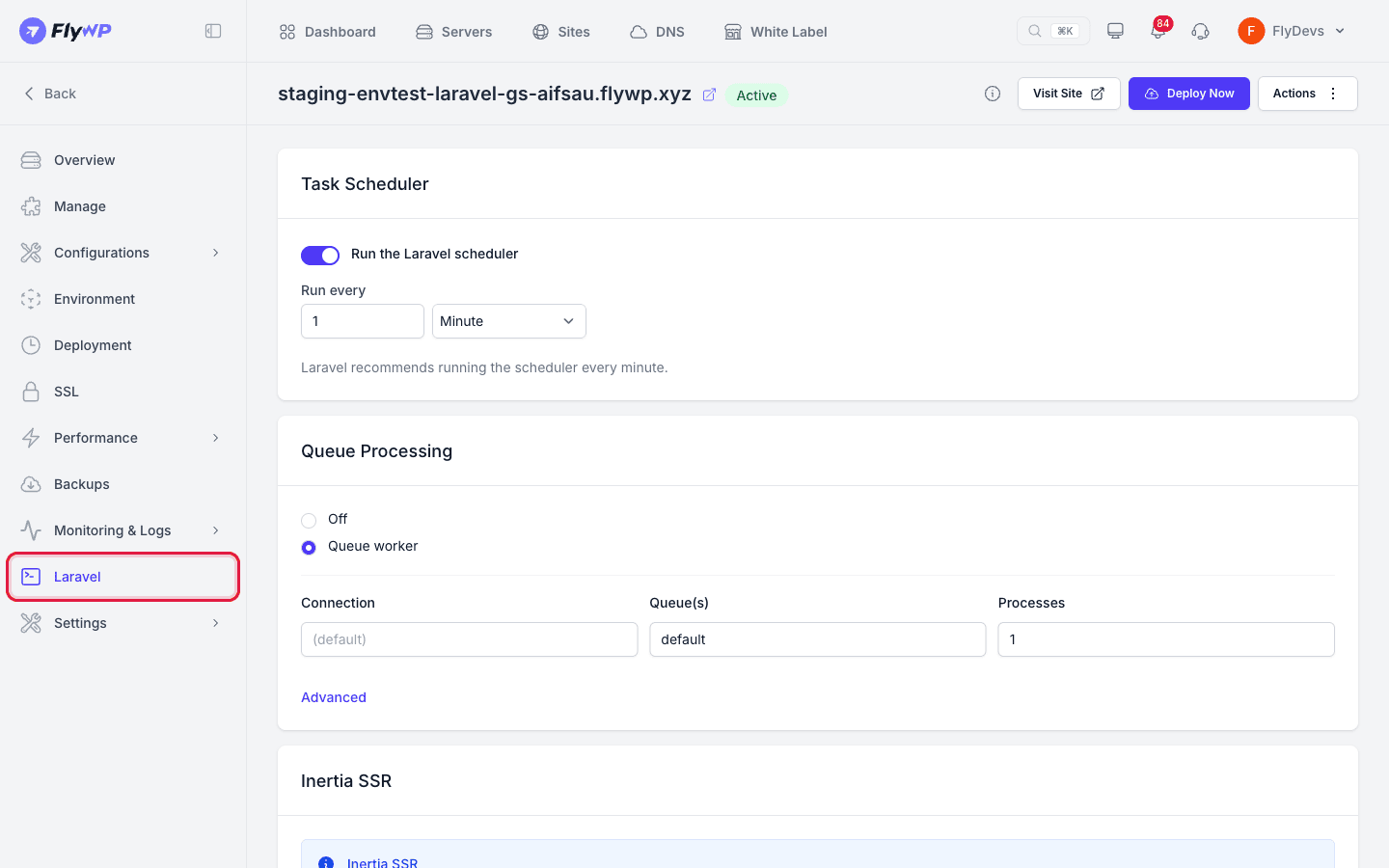
Open your Laravel site and click Laravel in the site menu.
-
In the Task Scheduler card, use the Run the Laravel scheduler switch to turn it on or off.
-
When the switch is on, set Run every to a number from 1 to 1440 and choose a unit: Minute, Hour, or Second.
-
Click Save Changes. The button is active only after you change something.
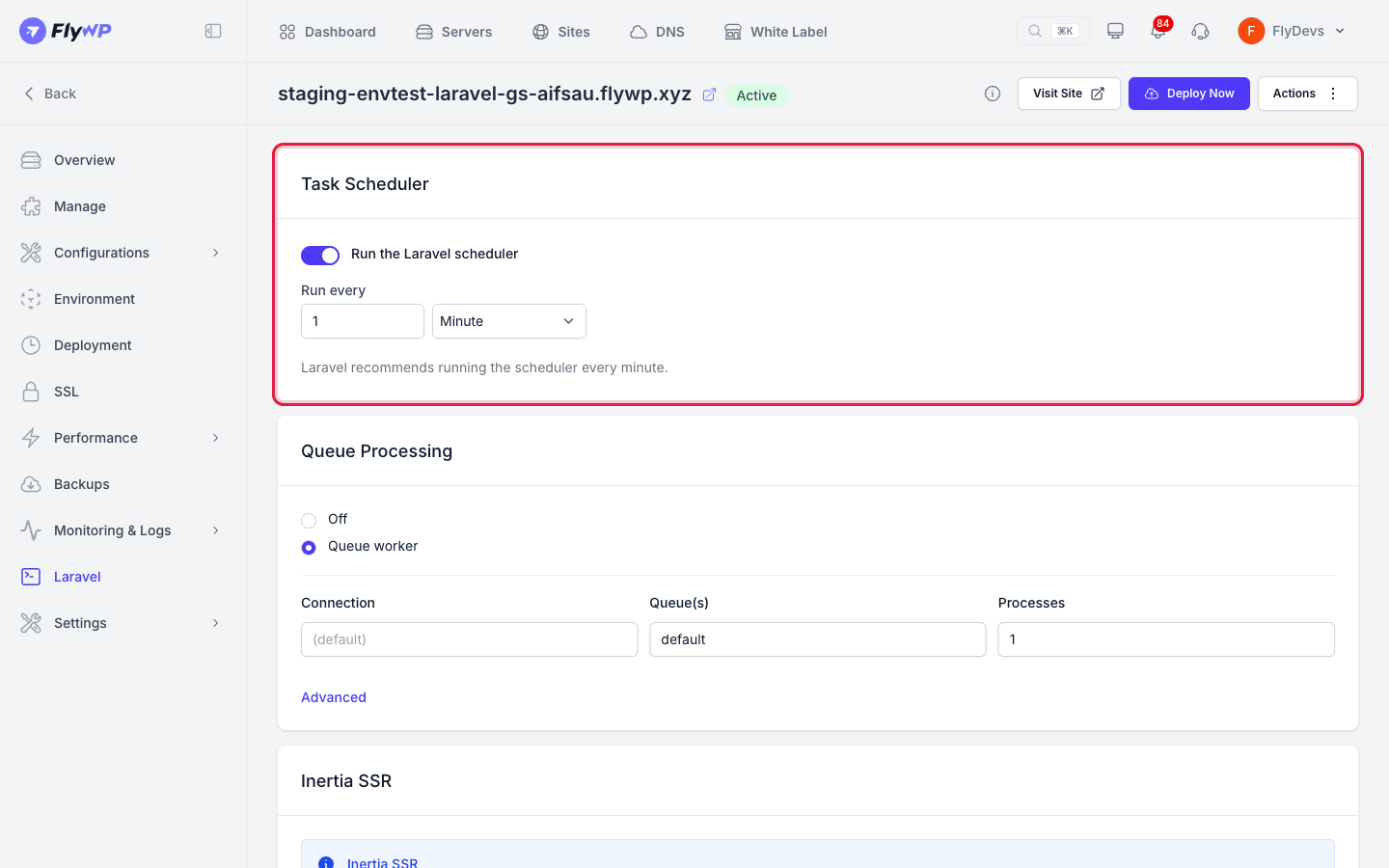
Laravel recommends running the scheduler every minute. Keep that unless you have a reason to change it. Your tasks still decide what runs: FlyWP only calls php artisan schedule:run at the interval you set, so a task defined to run daily still runs once a day.
After you save, FlyWP first shows Laravel settings updated. Changes may take a moment to take effect. It then recreates the site's containers and shows Laravel settings applied successfully. when it is done. If it cannot apply the change, the site gets an alert with the message Failed to apply Laravel settings.
Related guides
Section titled “Related guides”Still stuck? How can we help?
View as Markdown