Failed Payments and Payment Recovery
Four kinds of payment can fail in White Label. Each one has its own mail, its own fix and its own effect. This page covers them in turn.
| Payment | Who pays | Where you fix it |
|---|---|---|
| Your White Label plan | You, to FlyWP | Billing |
| Your FlyWP bill for servers or White Label fees | You, to FlyWP | Billing |
| Your Stripe connection | Not a payment, but customers cannot pay you without it | Payments → Stripe account |
| A customer's plan | Your customer, to you through Stripe | The customer's own billing page |
Your White Label plan does not renew
Section titled “Your White Label plan does not renew”When the renewal payment for your White Label plan fails, FlyWP sends the team owner a mail with the subject Your White Label payment did not go through. It names the amount and has a Pay now button that opens your Billing page. FlyWP sends one mail for each failed invoice. A plan that FlyWP gives you at no charge never gets this mail.
While the payment is open:
- Settings → Your White Label plan shows Payment due instead of a renewal date, with a Pay now button.
- Team Settings → White Label shows Payment due and, for the renewal date, When the open invoice is paid.
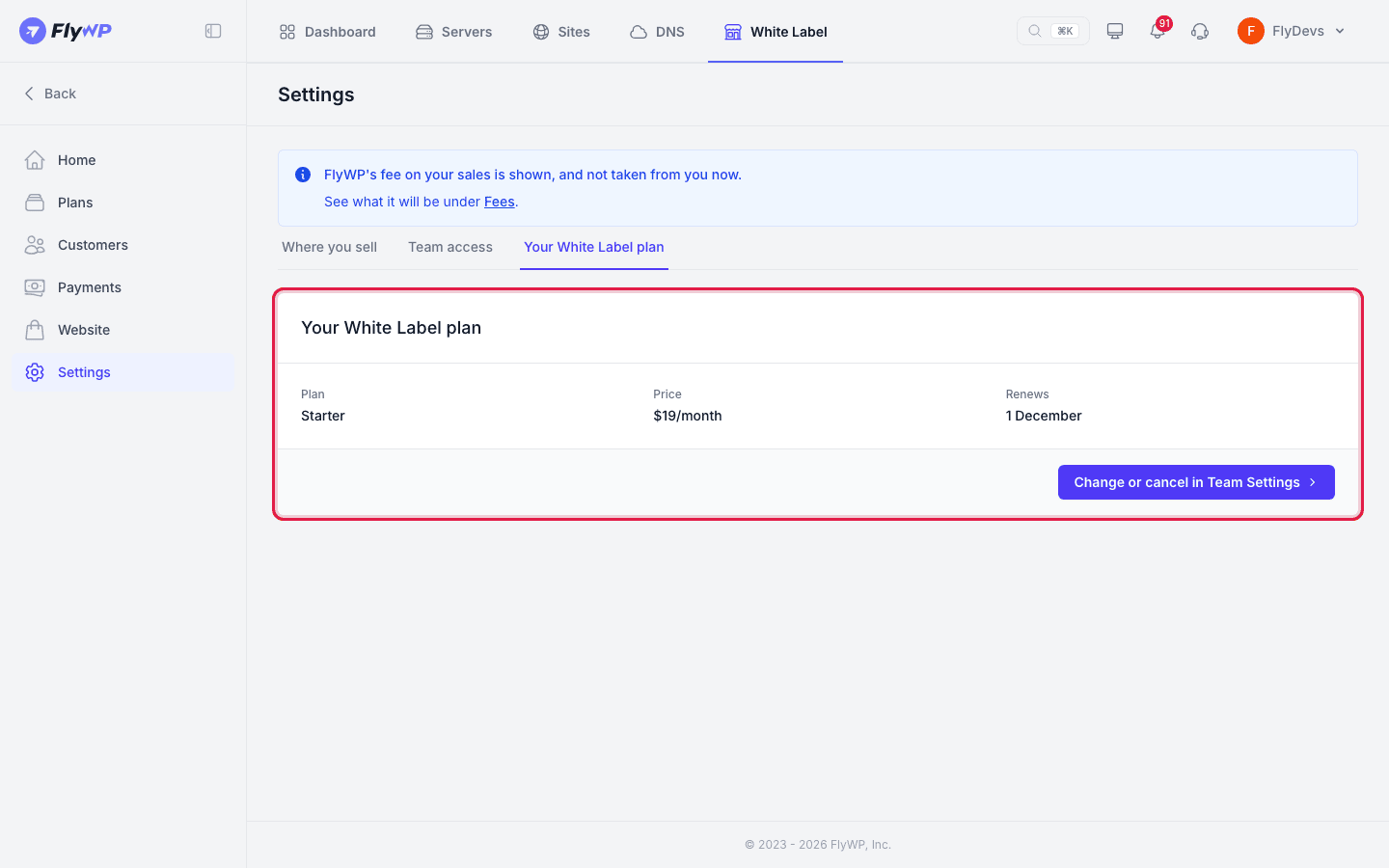
To fix it, select Pay now, then pay the open invoice or add a card that works. Pay now shows only to the team owner and Billing Managers. Other teammates see Only (owner name) or a Billing Manager can change this.
Reconnect Stripe
Section titled “Reconnect Stripe”Customers pay you through your own Stripe account, so new sales stop when that connection is lost. Open Payments → Stripe account to see what happened and what to do.
- New sales are stopped until you reconnect. FlyWP lost its link to your Stripe account, for example after a disconnect. Select Reconnect and sign in to Stripe. FlyWP picks up the same Stripe account again. Only the same account is accepted after a disconnect. To use a different account, contact support.
- New sales are stopped. Stripe needs something from you before the account can sell. Select Open Stripe and finish what Stripe asks. There is no Reconnect for this state.
- Stripe closed this account. Stripe's reason is shown when it gave one. Select Connect another account to link a different Stripe account. This works only while no customer still pays through the old account. If customers do, FlyWP asks you to connect the account you had before, or to contact support to move to another one.
FlyWP checks every account you connect. A Stripe account that another FlyWP team already uses is refused.
Only the team owner can change the Stripe connection. A teammate sees Only the team owner can change this account and a button to ask the owner.
Your FlyWP bill goes unpaid
Section titled “Your FlyWP bill goes unpaid”FlyWP warns you before it happens. From the 25th, if FlyWP cannot charge your White Label fees at the end of the month, it sends the owner the mail Add a card before the 1st to pay FlyWP's White Label fees.
Your FlyWP bill for your own servers or for White Label fees can also go unpaid. If it does, FlyWP sends the owner the mail New White Label sales are stopped, and:
- New customers cannot be added. Nobody new can sign up on your website or be added through the API. Your existing customers keep their sites and see nothing of this.
- Your customers may be affected later, depending on your terms. If the bill is still unpaid after a further grace period, one of two things can follow. Your customers see a short notice that new sites are on hold, or their sites go to sleep. For the bill for your own servers, only customer sites on your own servers go to sleep. For the bill for White Label fees, all customer sites go to sleep. The mail tells you which one applies and on what date. In some cases nothing more happens while the bill stays unpaid.
Pay the bill on your Billing page. If there is no card there, add one. Sites that went to sleep for this bill wake up again, unless your other unpaid bill still keeps them asleep. Selling resumes once no unpaid bill blocks it.
Adding sites through the API while the bill is unpaid
Section titled “Adding sites through the API while the bill is unpaid”While the bill is unpaid, the White Label API refuses new customers, and customer reactivations, with HTTP status 409 and one of these codes. It also refuses a new site for an existing customer with the same status and code once the further grace period is over and your terms say customers are told or put to sleep. The panel refuses the same requests.
The connection test, GET /v1/white-label/health, returns the same 409 and codes, so a billing system can poll it to find out whether you can sell.
| Code | Meaning |
|---|---|
byos_unpaid | Your FlyWP bill for your own servers is unpaid. |
fee_unpaid | Your FlyWP bill for White Label fees is unpaid. |
The message says to pay the bill under Billing. Once you pay, the same request works again. A billing system should treat these codes as "try again after the reseller pays", not as a problem with the customer. Your end customer is not at fault and has no bill to pay.
A customer falls behind
Section titled “A customer falls behind”When a customer's card fails, FlyWP sends the customer a mail in your brand:
- Your payment to (your business name) did not go through. The mail says that their sites stay up for now. It has an Update your card button. FlyWP sends one mail for each unpaid invoice.
- Your plan has ended. If Stripe ends the plan because the payments kept failing, the customer gets a mail saying the plan has ended. The mail also says when the customer's sites go to sleep and when they are deleted, and that buying a plan again before then brings the sites back.
The Update your card button, and the same button on the customer's Billing and Your plan pages, opens Stripe's billing portal on your account. In the portal the customer can update the card and pay open invoices. They cannot cancel or change plan there. The button shows only for a customer who is on a plan or behind on it. It does not show for a customer who left or whose account is on hold.
If a customer asks for a different plan while a payment is open, the move waits for that payment. Their Your plan page shows the move and a Pay the invoice to finish link.
Customers who came from a billing system do not use the portal. They pay that system.
You can also turn on Stripe's own failed-payment emails. Select Open Stripe settings in the Tell customers when a card fails note on Payments → Stripe account.
Still stuck? How can we help?
View as Markdown