Deploy a Nuxt Site on FlyWP Through Git
Deploy a Nuxt application from a Git repository using FlyWP's JavaScript site wizard. This guide uses the modern Nuxt/Nitro workflow; legacy Nuxt 2 projects need their own compatibility and deployment review.
See the shared Git deployment guide for provider access, DNS, and release management.
Before you begin
Section titled “Before you begin”You need an active FlyWP-managed server, a connected Git provider, and an application with package.json at the repository root. Monorepos are excluded by the current wizard. Commit source, configuration, and the lockfile, then test a production build locally.
Declare a Node major compatible with your Nuxt release and dependencies. For example, use "engines": { "node": "22.x" } if Node.js 22 is supported by your project.
Choose your deployment mode
Section titled “Choose your deployment mode”Use Server for request-time rendering, private server operations, and Nitro API endpoints. Use Static when all required pages can be generated or served as a client-side application with an external backend.
A Nuxt Node build has a server entrypoint at .output/server/index.mjs. A generated static site is served from .output/public. Merely disabling SSR does not replace the generation step. Nuxt deployment guide.
Option A: Prepare a Server application
Section titled “Option A: Prepare a Server application”Merge these scripts into package.json:
{ "scripts": { "build": "nuxt build", "generate": "nuxt generate", "start": "node .output/server/index.mjs" }, "engines": { "node": "22.x" }}Keep your existing Nuxt dependencies and any installation lifecycle scripts. Make sure the build targets a Node server rather than a provider-specific edge preset. For Nuxt versions using this Nitro preset spelling, merge the following into nuxt.config.ts:
export default defineNuxtConfig({ nitro: { preset: 'node-server', },});Use the preset name supported by your installed Nitro version; current standalone Nitro documentation uses node_server. The essential check is that your build emits a runnable .output/server/index.mjs. Nuxt deployment presets, Nitro Node runtime.
Test in your local development checkout:
npm cinpm run buildnode .output/server/index.mjsOpen the reported local address, check a page and a server endpoint, and stop the process afterward. The local test proves your repository builds and starts; it does not verify the FlyWP deployment.
Option B: Prepare a Static application
Section titled “Option B: Prepare a Static application”Use the generate script above, then run:
npm cinpm run generateInspect .output/public and preview it with a local static server. Make sure your required routes are generated; add routes to the prerender configuration when they cannot be discovered automatically. A client-only app can use ssr: false, but still needs generation and a tested fallback for direct navigation. Nuxt prerendering documentation.
Static hosting does not run the application's Nitro API routes. Use an external API or Server runtime for backend functionality. Any build-time content must be available while generation runs.
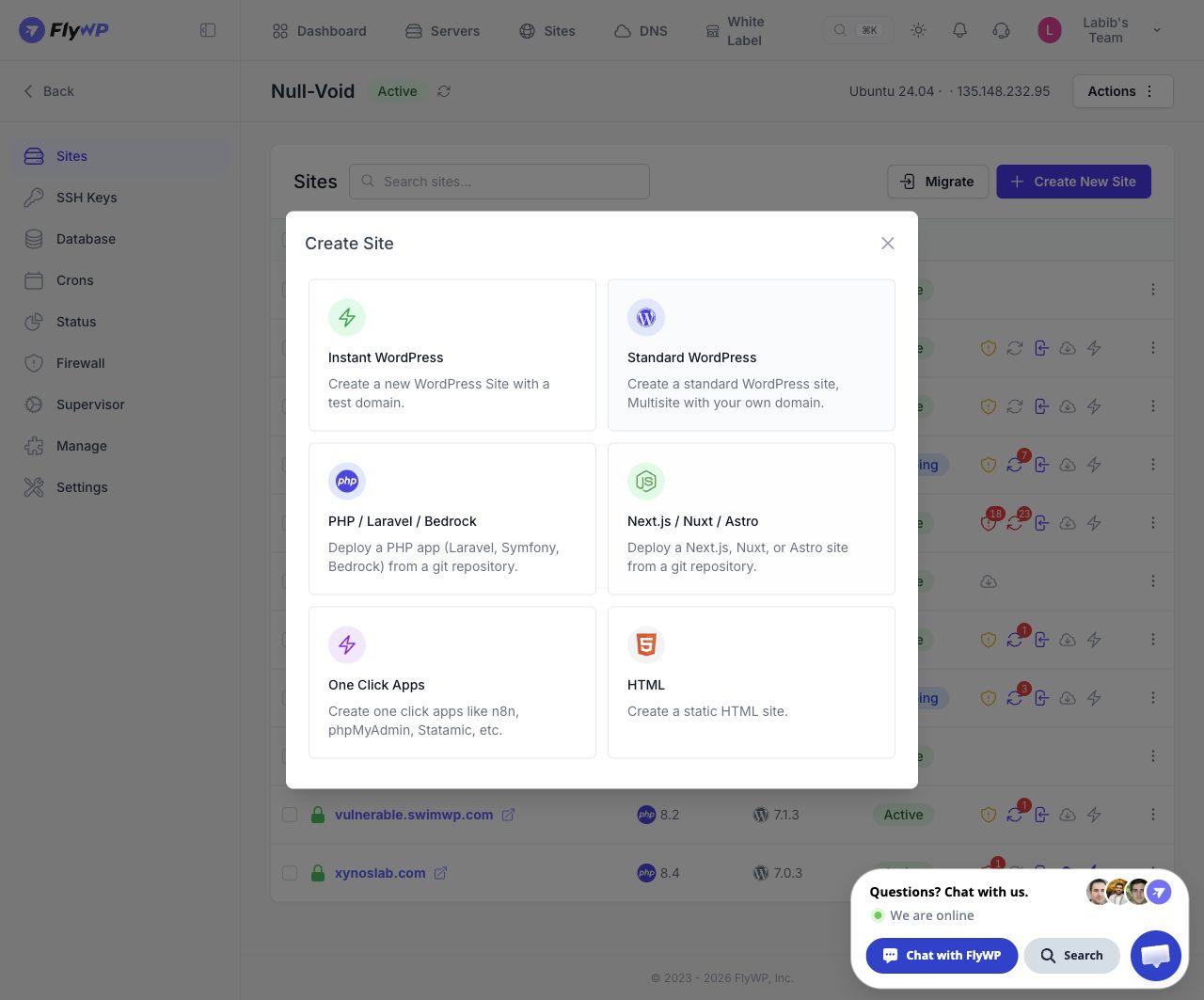
Open the JavaScript site wizard from the application selector. Select the image to view the full screen.
Create the site in FlyWP
Section titled “Create the site in FlyWP”- Sign in to FlyWP.
- Follow Dashboard → New Site → Select Server → Continue → Node.js Next.js / Nuxt / Astro.
- On Domain, use the test-domain switch or enter a custom Domain Name and configure the available DNS/HTTPS options. Click Next.
- On Configure Git, select Nuxt, choose your runtime, and configure these values.
| Field | Server | Static generation |
|---|---|---|
| Application Type | Nuxt | Nuxt |
| Runtime | Server | Static |
| Package manager | npm | npm |
| Build command | npm run build | npm run generate |
| Start command | node .output/server/index.mjs | Hidden; no Node process |
| Web directory | / — observed default | /.output/public — proposed mapping to generated files |
The inspected wizard retained npm run build and / when switching Nuxt to Static. Change both explicitly for the generation workflow. The Static web directory mapping above must be checked in a real deployment. Use equivalent yarn or pnpm commands if you choose a different package manager.
- Select the provider, Repository, and Branch. For a public repository missing from the list, type
owner/repositoryand select the public repository option. - Choose whether to enable Push to deploy.
- Click Next and complete Installation. In the inspected test-domain flow, this asks for Site Title.
- Review Summary, paying particular attention to runtime, commands, directory, and branch. Click Create Site when ready.
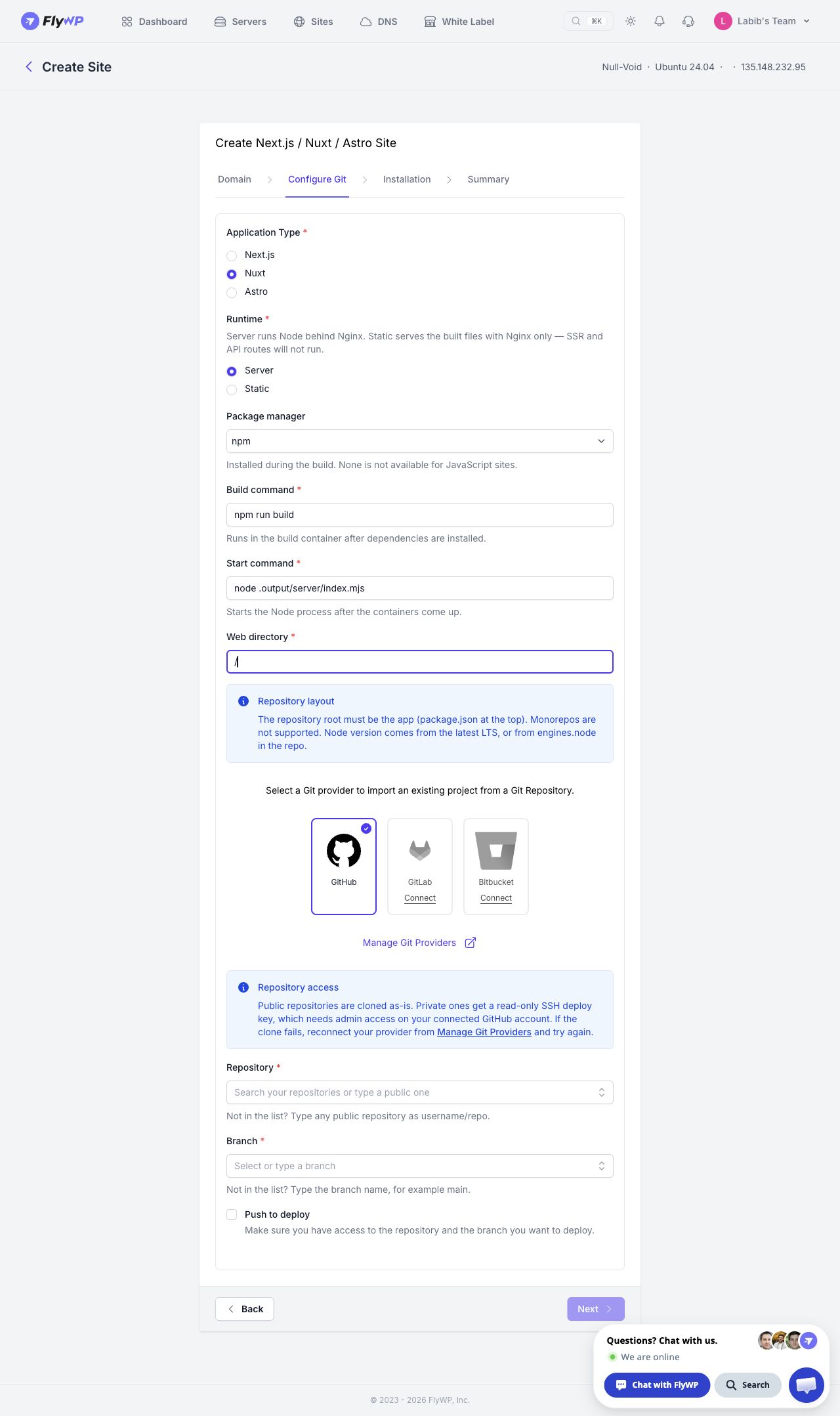
Nuxt Server setup in the actual FlyWP app. Repository and branch remain to be selected. Select the image to view the full screen.
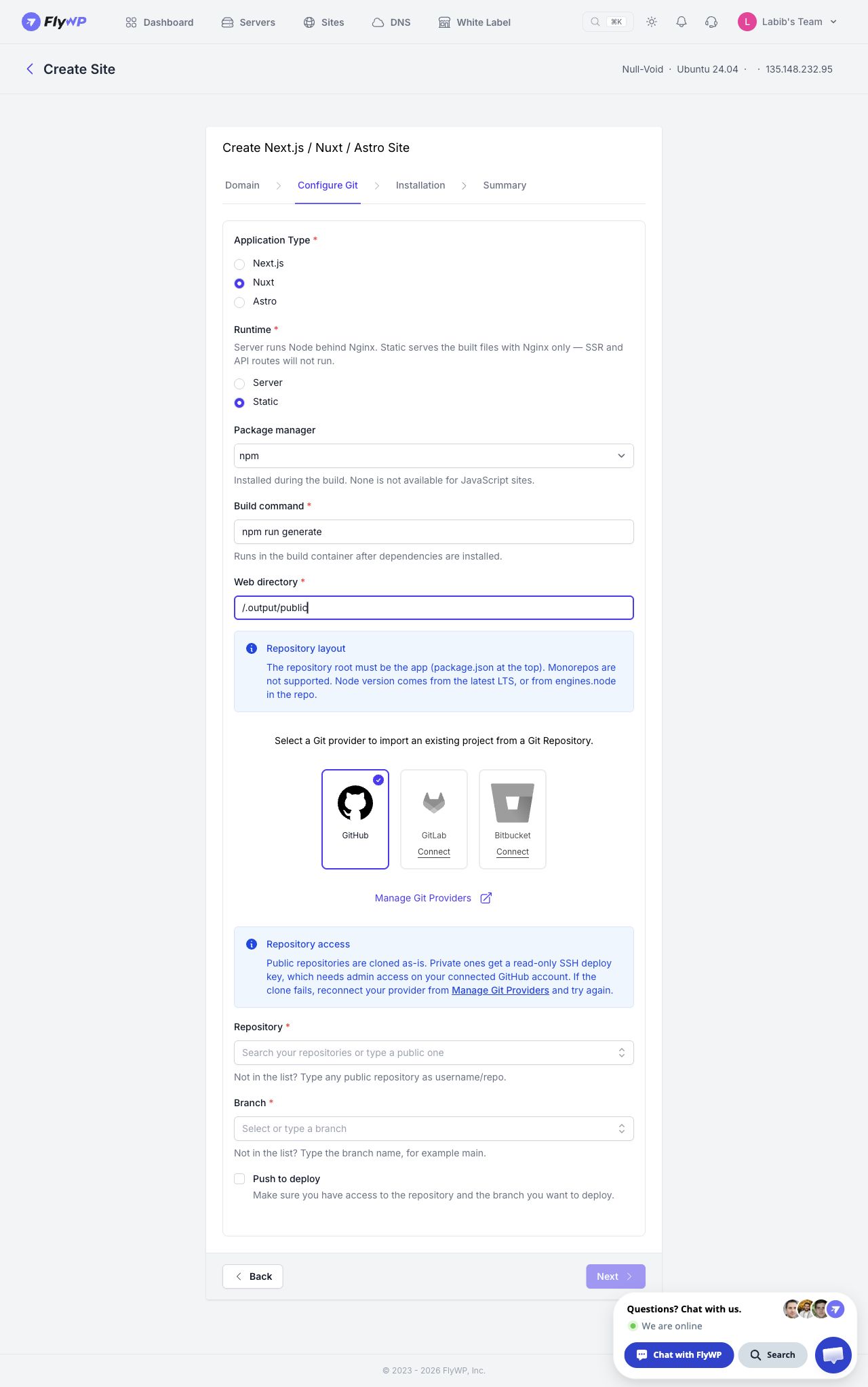
Nuxt Static configuration example entered in the real wizard. These settings were not deployed. Select the image to view the full screen.
Configure runtime values
Section titled “Configure runtime values”Declare application settings in runtimeConfig. Keep credentials outside its public section:
export default defineNuxtConfig({ runtimeConfig: { apiSecret: '', public: { apiBase: '', }, },});Merge this with your existing configuration and Nitro settings. Matching variables can override the declared values:
NUXT_API_SECRET=<private-api-secret>NUXT_PUBLIC_API_BASE=https://api.example.comRead them with useRuntimeConfig(). Values under public are available to browser code. Nuxt runtime configuration.
The production Node entrypoint does not automatically load your local .env file. Supply production values through the site's actual environment mechanism. Static generation requires relevant values during the build and has no Nuxt application process afterward. Nuxt environment behavior.
Nitro supports NITRO_HOST/HOST and NITRO_PORT/PORT, with port 3000 as its documented default. Match the interface and port to FlyWP's upstream configuration rather than arbitrarily changing the production port. Nitro Node runtime.
Verify and update
Section titled “Verify and update”Read the deployment logs, then test the hostname in a signed-out browser. Check assets, hydration, direct nested URLs, and any login or API workflow. A Server site should exercise a server endpoint; a Static site should work without the Nitro process.
Push updates to the configured branch. For automatic deployment, verify that Push to deploy is enabled and review the resulting release. Recover source changes with a new revert commit; database or external service changes require separate recovery.
Troubleshooting
Section titled “Troubleshooting”| Symptom | Action |
|---|---|
Missing .output/server/index.mjs | Inspect the failed build or an incompatible deployment preset |
| Static site has no pages | Use nuxt generate, then verify .output/public and Web directory |
| Generated route is missing | Add the route to prerender configuration and rebuild |
/api/... fails on Static | Move backend operations to an external service or use Server |
| Secret/config value is empty | Check declared runtime keys and matching production NUXT_ variables |
| 502 | Check process startup, host binding, and upstream port |
| Client-only route fails on refresh | Verify Nginx's fallback behavior or prerender the required route |
Related guides
Section titled “Related guides”Still stuck? How can we help?