Git Provider Connections
Before you can deploy a site from a Git repository, you must connect a Git provider to your FlyWP account. This is a one-time setup done in your profile settings and applies to all sites you manage.
Supported Providers
Section titled “Supported Providers”FlyWP currently supports the following Git providers:
| Provider | Status |
|---|---|
| GitHub | Available |
| GitLab | Coming soon |
| Bitbucket | Coming soon |
Connecting GitHub
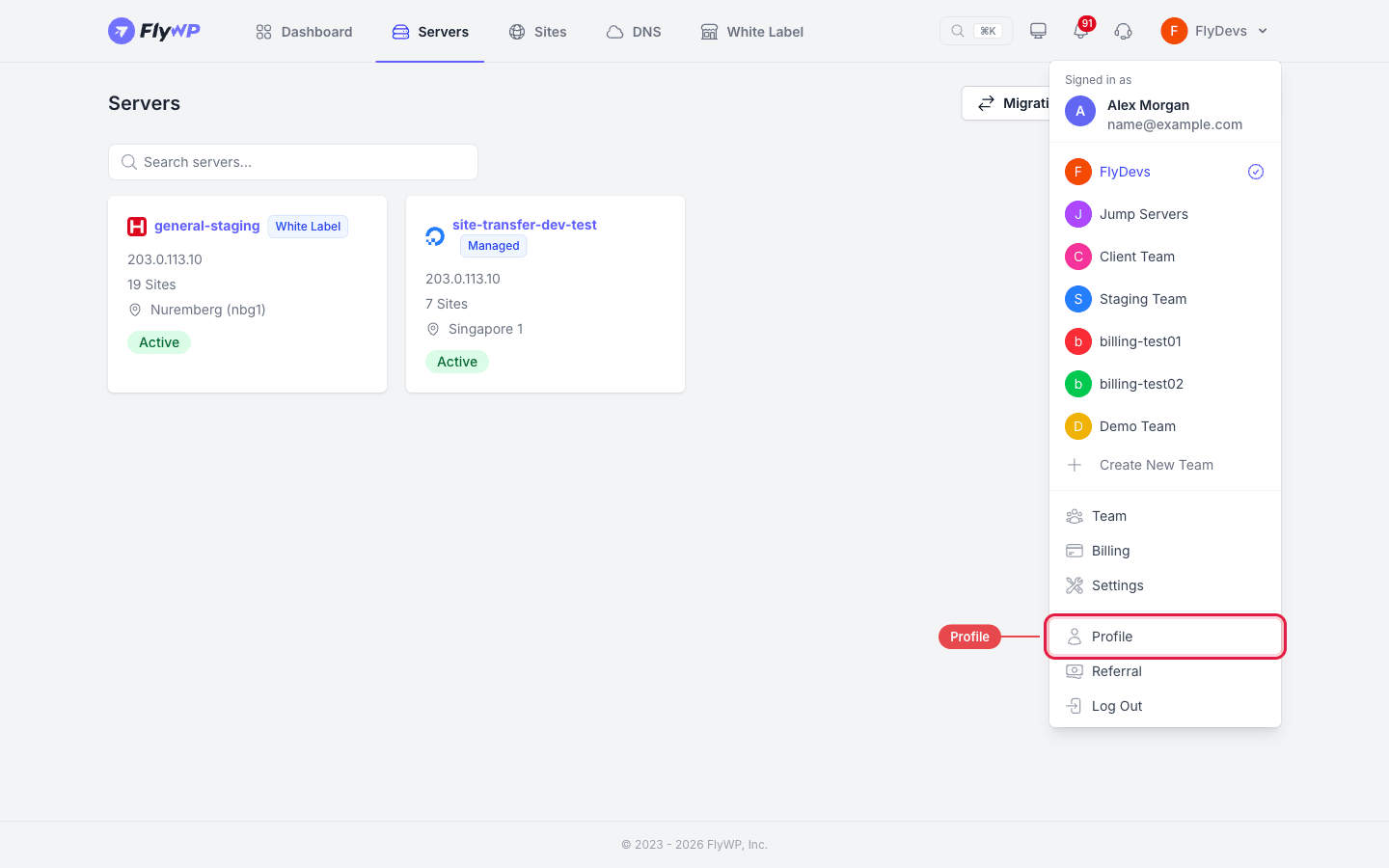
Section titled “Connecting GitHub”- Go to your Profile by clicking your avatar in the top-right corner.
- Select Git Providers from the profile navigation.
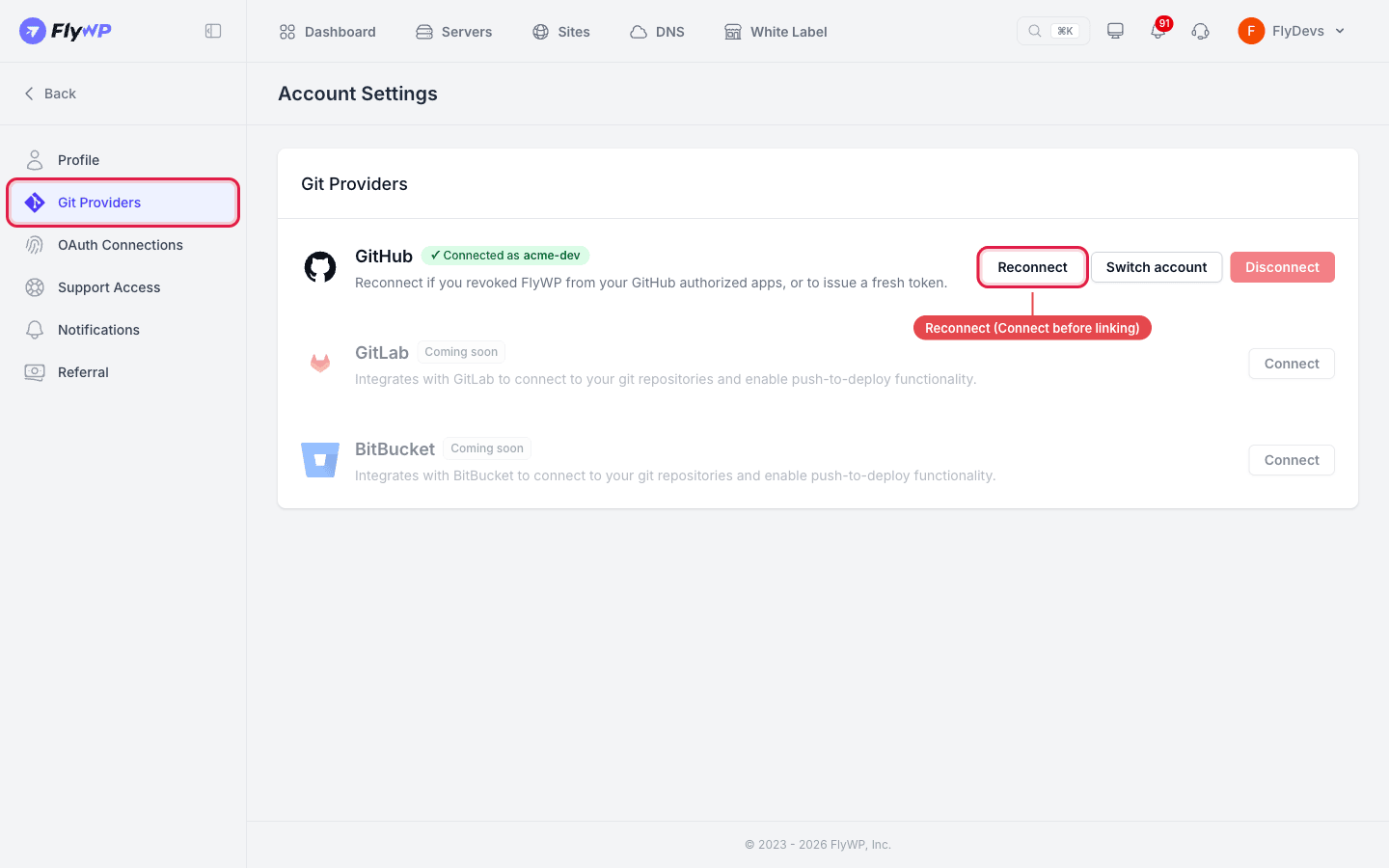
- Click Connect next to GitHub. (Once an account is connected, this button reads Reconnect.)
- You will be redirected to GitHub to authorize FlyWP. Review the requested permissions and click Authorize.
- After authorization, GitHub redirects you back to FlyWP. Your connected GitHub account will appear on the Git Providers page.
Once connected, your GitHub account is available as a source when configuring Git deployment on any of your sites.
Per-User Setting
Section titled “Per-User Setting”Disconnecting a Provider
Section titled “Disconnecting a Provider”To remove a connected GitHub account:
- Go to Profile and open the Git Providers page.
- Find the connected GitHub account.
- Click Disconnect, then confirm in the dialog.
Disconnect is enabled next to Reconnect only when no sites deploy from the account. If one or more sites deploy from it, the button is disabled. Hover over the button to see which sites are using it.
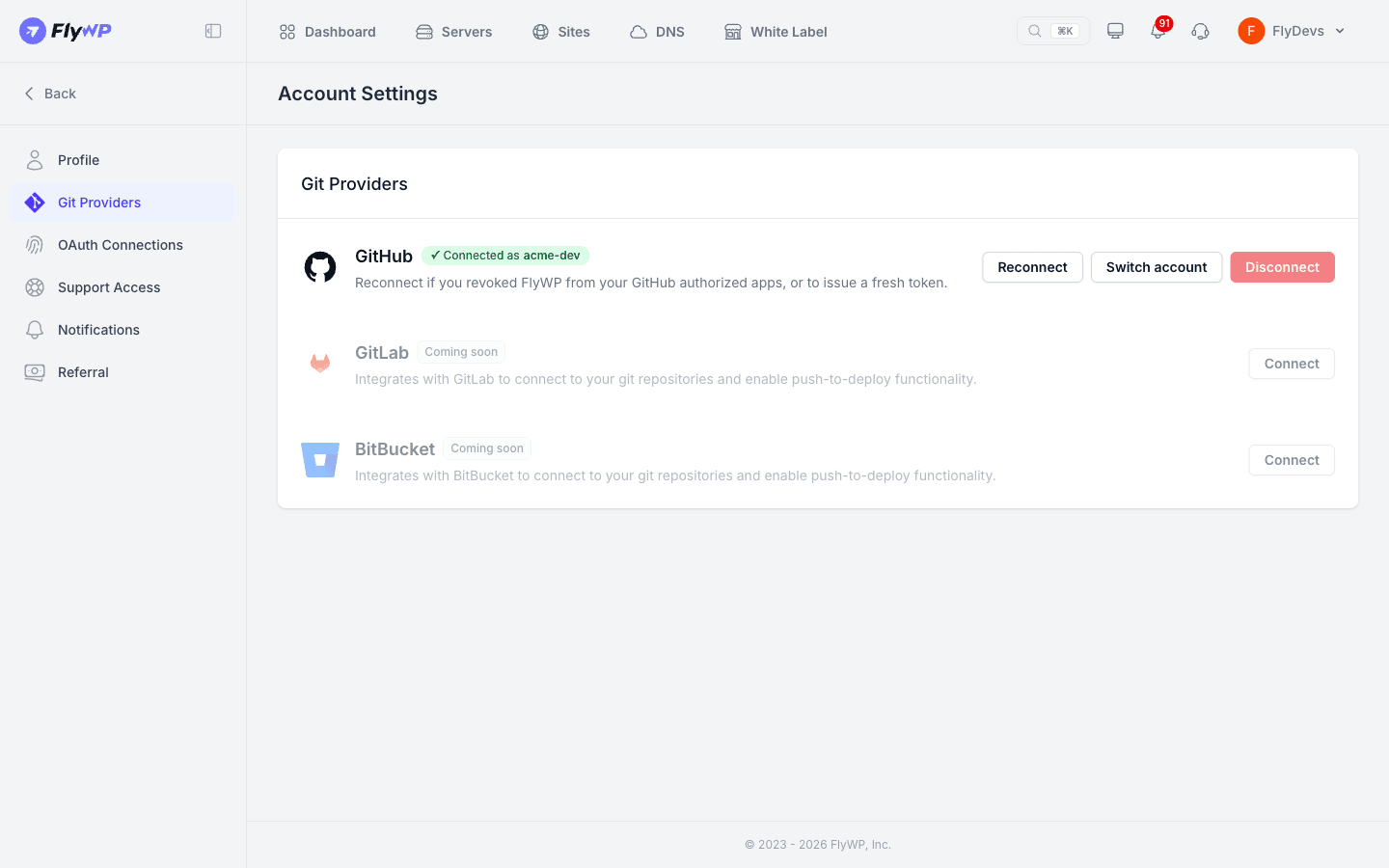
To move your sites to a different GitHub account, use Switch account instead (see below).
Switching Accounts
Section titled “Switching Accounts”When sites deploy from a connected account, the account card shows a Switch account button. Click it, then confirm in the Connect a different account? dialog. FlyWP redirects you to GitHub to connect another account.
Reconnecting a Provider
Section titled “Reconnecting a Provider”If the Reconnect required badge appears on a connected account, FlyWP's last request to GitHub was rejected. This usually happens after you revoke FlyWP from your GitHub authorized apps.
To fix it, click Reconnect and authorize through GitHub to link the account again. If the repository belongs to a GitHub organization, an organization admin must also approve FlyWP.
Related Pages
Section titled “Related Pages”Still stuck? How can we help?
View as Markdown