

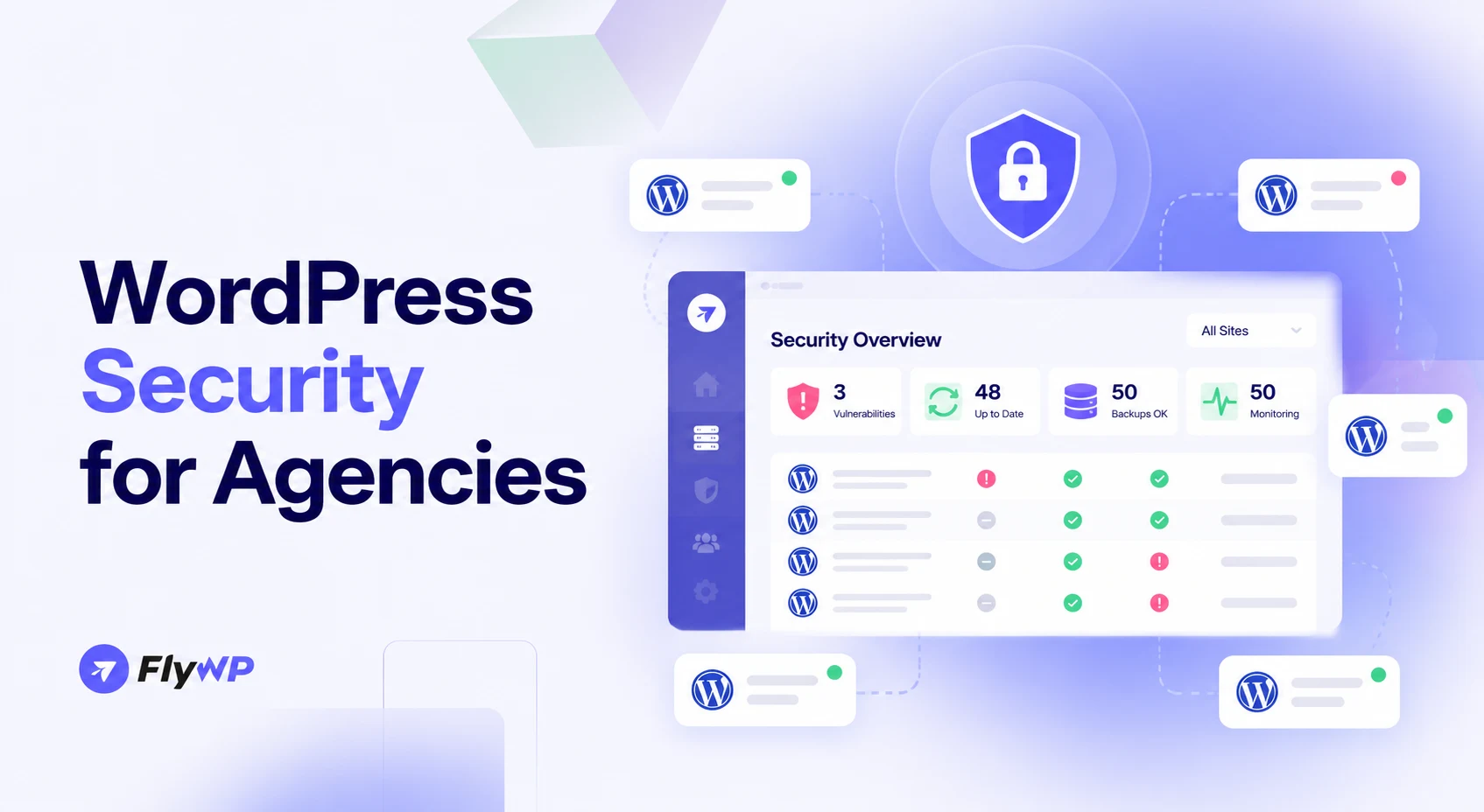
Managing one WordPress website is relatively straightforward. Managing 50 or more client websites is a different challenge. Each site may use different plugins, themes, hosting environments, user accounts, and maintenance schedules. A vulnerability or compromised account on one website can quickly become a serious operational problem.
For WordPress agencies, security is not just about installing a security plugin. It requires a repeatable process for monitoring vulnerabilities, applying updates, controlling access, detecting malware, maintaining backups, and responding to incidents.
This guide explains how to build a scalable WordPress security strategy for agencies that protects client websites, reduces manual work, and helps maintain client trust.
Why WordPress Security Is Different for Agencies
Agencies face a different security challenge from individual website owners: they must maintain consistent protection across an entire portfolio.
Common challenges include:
- Multiple software versions: Different websites may run outdated WordPress core, plugins, or themes.
- Limited visibility: Without centralized monitoring, identifying vulnerable websites can require manual checks.
- Shared access: Developers, contractors, and clients may have different permission requirements.
- Cross-site risks: Poorly isolated websites can increase the impact of a compromised account or environment.
- Recovery pressure: Every hour of downtime can affect client revenue, reputation, and agency relationships.
Consider a scenario where a popular plugin vulnerability affects 20 websites in your portfolio. Your team must identify the affected installations, assess the risk, apply an appropriate fix, verify each website, and communicate any necessary updates to clients.
Without a documented process, this work can quickly become difficult to manage.
The solution is to establish consistent security policies and use centralized tools wherever practical. Our guide on how to manage 50+ WordPress websites covers the wider operational side of running a portfolio at that size.
1. Monitor Vulnerabilities Across All Client Websites
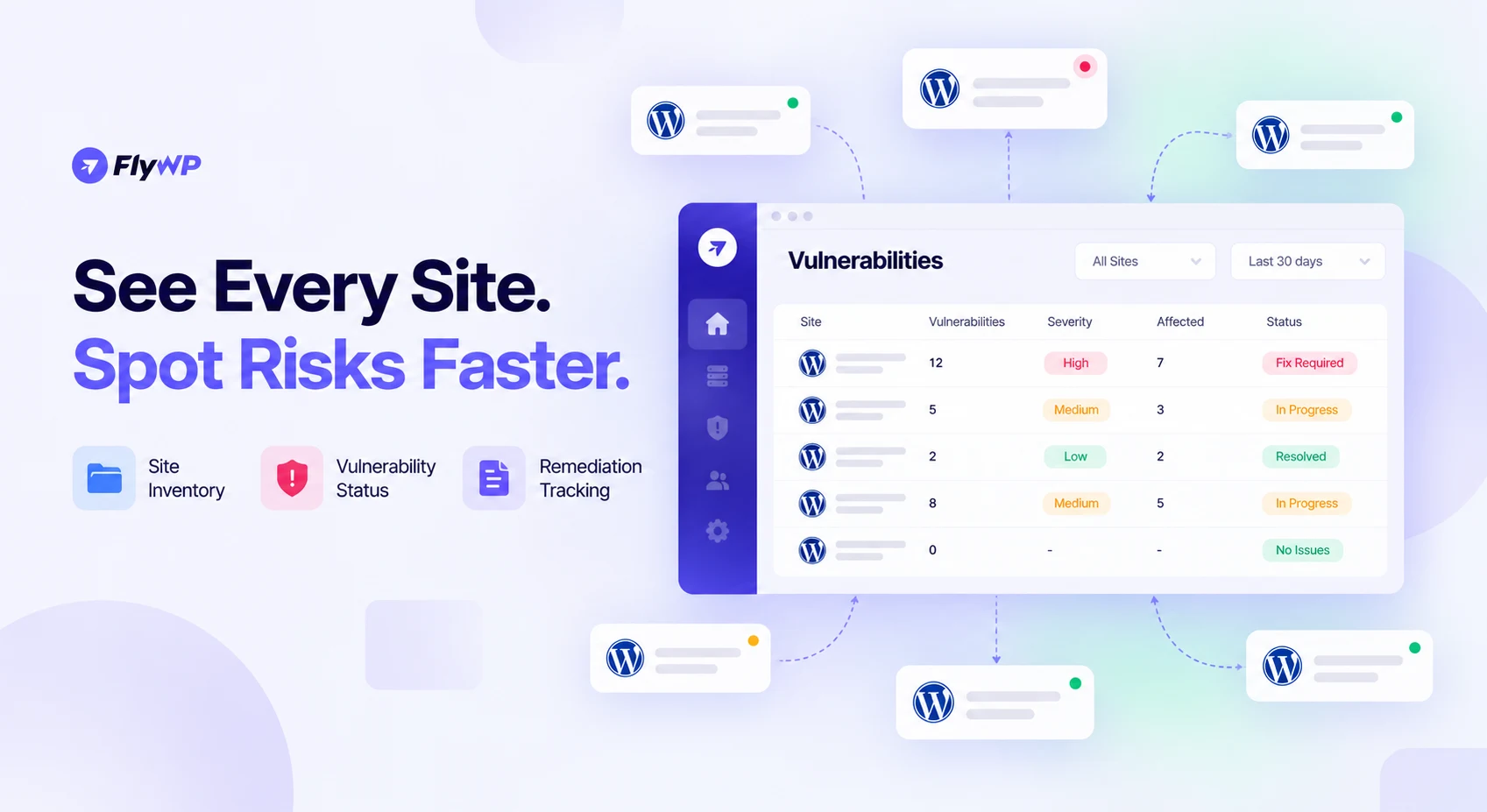
Vulnerability monitoring helps agencies identify weaknesses before attackers exploit them.
Start by creating a complete inventory of your websites. Record each site's WordPress version, installed plugins and themes, hosting environment, business importance, and maintenance owner.
Then establish a process for monitoring vulnerabilities.
An effective vulnerability monitoring workflow should include:
- Inventorying WordPress core, plugins, and themes across all sites.
- Monitoring trusted vulnerability advisories and vendor security announcements.
- Identifying which client websites use affected software.
- Prioritizing actively exploited and critical vulnerabilities.
- Tracking remediation status until each affected site is verified.
Not every vulnerability carries the same level of risk. Consider its severity, whether exploitation is occurring, whether the affected component is exposed, and the potential business impact. Our breakdown of WordPress plugin vulnerabilities explains the most common classes and how they are exploited.
For example, an actively exploited vulnerability affecting a publicly accessible plugin should receive more urgent attention than a low-risk issue in a component that is not exposed.
The goal is to answer three questions quickly: Which sites are affected? How serious is the risk? What action is required?
2. Keep WordPress Core, Plugins, and Themes Updated
Outdated software is one of the most important security risks agencies must manage. Updates can address known vulnerabilities, improve compatibility, and fix software defects.
WordPress recommends keeping plugins and themes updated and provides built-in automatic update options. However, agencies should combine updates with suitable testing and recovery procedures.
A scalable update strategy includes:
- Routine updates: Schedule regular reviews and maintenance windows.
- Critical security updates: Use an expedited process for actively exploited or high-risk vulnerabilities.
- Staging tests: Test important updates before deploying them to business-critical websites when circumstances allow.
- Backup verification: Confirm that a usable backup exists before making significant changes.
- Post-update checks: Verify login functionality, forms, checkout flows, integrations, and important pages.
- Unsupported software removal: Replace abandoned plugins and themes or remove components that are no longer needed.
Automation can reduce repetitive work, but it should not eliminate oversight. Some updates can introduce compatibility issues, so define which changes can be automated and which require additional testing.
For agencies managing dozens of websites, the objective is to establish a consistent process rather than depend on individual team members remembering to check updates.
3. Use Virtual Patching to Reduce Exposure to Vulnerabilities
What happens when a serious plugin vulnerability is discovered but a permanent update cannot be deployed immediately?
Virtual patching provides an additional layer of protection by using security rules to block known exploitation attempts without changing the vulnerable code itself.
A web application firewall (WAF) or another suitable security enforcement layer can inspect requests and block traffic that matches known attack patterns.
Virtual patching can be useful when:
- A security fix is available but needs compatibility testing.
- An update cannot be deployed immediately.
- A vendor has not yet released a permanent fix.
- An affected website needs temporary protection while remediation is underway.
However, virtual patching is not a replacement for updating or removing vulnerable software. Its effectiveness depends on the protection rules, the traffic inspected, and the attack patterns those rules recognize.
Agencies should document the temporary mitigation, monitor the affected sites, and prioritize the permanent fix.
The objective is to reduce exposure while moving toward complete remediation, not to treat a temporary workaround as a permanent solution.
4. Protect Client Websites With a Web Application Firewall
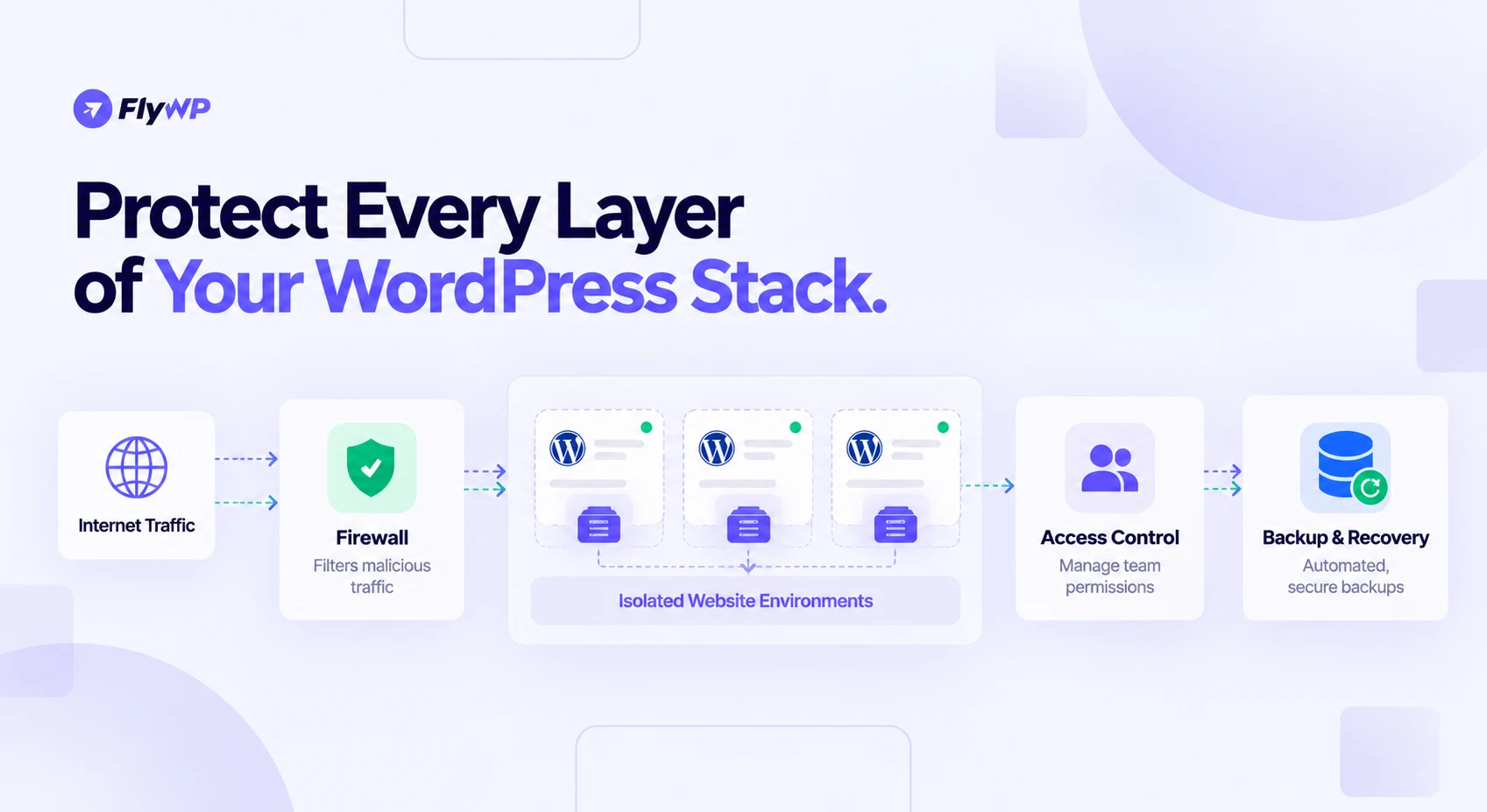
A web application firewall helps filter malicious HTTP traffic before it reaches a web application. Depending on its configuration, it can help block known exploit attempts, suspicious requests, and some automated attacks.
For agencies, a WAF can provide a consistent layer of protection across multiple websites.
Consider implementing the following controls:
- Block known malicious request patterns.
- Apply rate limits to sensitive endpoints where appropriate.
- Reduce brute-force login attempts.
- Monitor blocked requests and investigate unusual activity.
- Review firewall rules to minimize false positives.
- Protect administrative endpoints without disrupting legitimate users.
A WAF can also support virtual patching when suitable rules exist for a specific vulnerability.
However, not every firewall offers the same protection. An edge or reverse-proxy WAF operates differently from a security plugin that filters requests within WordPress. Choose controls based on your infrastructure and risk profile. Our comparison of WordPress firewall plugins covers the plugin-level options, while server-level firewalls and bot protection filter requests before WordPress loads.
Most importantly, a firewall complements secure software, strong authentication, and ongoing maintenance. It does not make vulnerable software safe in every circumstance.
5. Detect Malware and Suspicious Website Changes
Malware can lead to unauthorized redirects, spam pages, suspicious scripts, stolen credentials, and other harmful activity.
Agencies should combine scheduled security scans with monitoring for unexpected changes.
Key practices include:
- Run regular malware scans.
- Monitor file integrity and unexpected modifications.
- Check WordPress core and plugin files for unauthorized changes.
- Investigate unfamiliar administrator accounts.
- Watch for suspicious redirects, injected content, and unusual outbound requests.
- Configure alerts for high-risk findings.
A scan that reports no malware does not guarantee that a website is clean. Some threats may evade automated detection, so suspicious activity may require manual investigation.
Create a clear escalation process for scan findings. Assign responsibility for reviewing alerts, determining their severity, and documenting the action taken.
For a large portfolio, consistent monitoring helps your team identify potential problems without relying entirely on clients to report them.
6. Isolate Client Websites to Limit the Impact of a Breach
Website isolation helps prevent a compromise on one site from affecting other sites.
The level of isolation depends on your hosting architecture. Websites sharing server resources, credentials, or excessive filesystem permissions may have greater exposure to cross-site risks.
To improve isolation:
- Separate site files and databases where appropriate.
- Use distinct database credentials and restrict their permissions.
- Apply suitable filesystem permissions.
- Avoid unnecessary access between client environments.
- Separate sensitive credentials and restrict server-level privileges.
- Quarantine compromised sites when necessary to prevent further damage.
Where feasible, isolated execution environments can provide stronger boundaries between websites. Our comparison of Docker and traditional WordPress hosting explains how container-based setups draw those boundaries.
It is also important to distinguish between preventive isolation and incident containment. Isolation reduces the potential impact of a compromise, while containment limits damage after suspicious activity is detected.
WordPress's hardening guidance discusses separate database users and restricted permissions as ways to improve containment.
For agencies, the principle is straightforward: a compromised client website should not automatically provide a path into the rest of your portfolio.
7. Secure Administrator Access and Team Permissions
Not every team member needs administrator access to every website.
Excessive permissions increase the potential impact of compromised credentials, accidental changes, and unauthorized activity.
Use the principle of least privilege: give each person only the access necessary to perform their responsibilities.
A practical access policy should include:
- Unique user accounts: Avoid shared administrator credentials.
- Strong authentication: Use unique passwords and enable multifactor authentication (MFA) wherever supported.
- Role-based permissions: Give editors, developers, support staff, and clients appropriate access.
- Credential management: Store sensitive credentials in a reputable password manager.
- Regular access reviews: Remove unnecessary accounts and privileges.
- Offboarding procedures: Revoke access promptly when employees or contractors leave.
Remember that WordPress roles are only one part of access management. Hosting dashboards, server accounts, DNS providers, cloud infrastructure, and deployment systems may require separate permissions and reviews.
A centralized management workflow can make it easier to organize access across a portfolio, but it should not replace secure account practices. In FlyWP, granular team management lets you assign each team member a role rather than sharing one login.
8. Maintain Activity Logs and Audit Trails
When something changes unexpectedly, your team needs to determine what happened and when.
Activity logs help agencies investigate suspicious changes, identify affected accounts, and understand the sequence of events leading to a security incident.
Where supported, monitor:
- Successful and failed login attempts.
- New administrator accounts and permission changes.
- Plugin and theme installations or removals.
- Important configuration changes.
- Unexpected file modifications.
- Server-level and infrastructure events.
Centralize important logs where practical, and protect them from unauthorized modification. Define appropriate retention periods based on security needs, contractual obligations, and applicable regulations.
Logging is most valuable when it supports action. Establish alerts for high-risk events and ensure someone is responsible for investigating them.
9. Build a Reliable Backup and Recovery Strategy
Backups are essential for recovering from malware infections, failed updates, accidental deletions, and infrastructure problems.
For each client website, establish a backup policy based on how frequently its data changes and how much downtime or data loss the business can tolerate.
A reliable backup strategy should include:
- Complete coverage: Back up both website files and the database.
- Appropriate frequency: Use more frequent backups for sites with transactions or frequently changing content.
- Off-site storage: Keep copies separate from the production environment.
- Restricted access: Protect backup credentials and stored data.
- Retention policies: Maintain enough historical copies to recover from problems discovered later.
- Restore testing: Verify that backups can actually restore a functioning website.
Two useful concepts are the recovery point objective (RPO), which describes how much data loss is acceptable, and the recovery time objective (RTO), which describes how quickly a service should be restored.
For example, an online store may require more frequent backups and faster recovery than a static company website.
Do not assume a successful backup job guarantees a successful recovery. Test restoration procedures regularly and ensure your team knows how to use them. Our documentation on restoring WordPress websites from backup walks through a restore step by step.
10. Create a WordPress Security Incident Response Plan
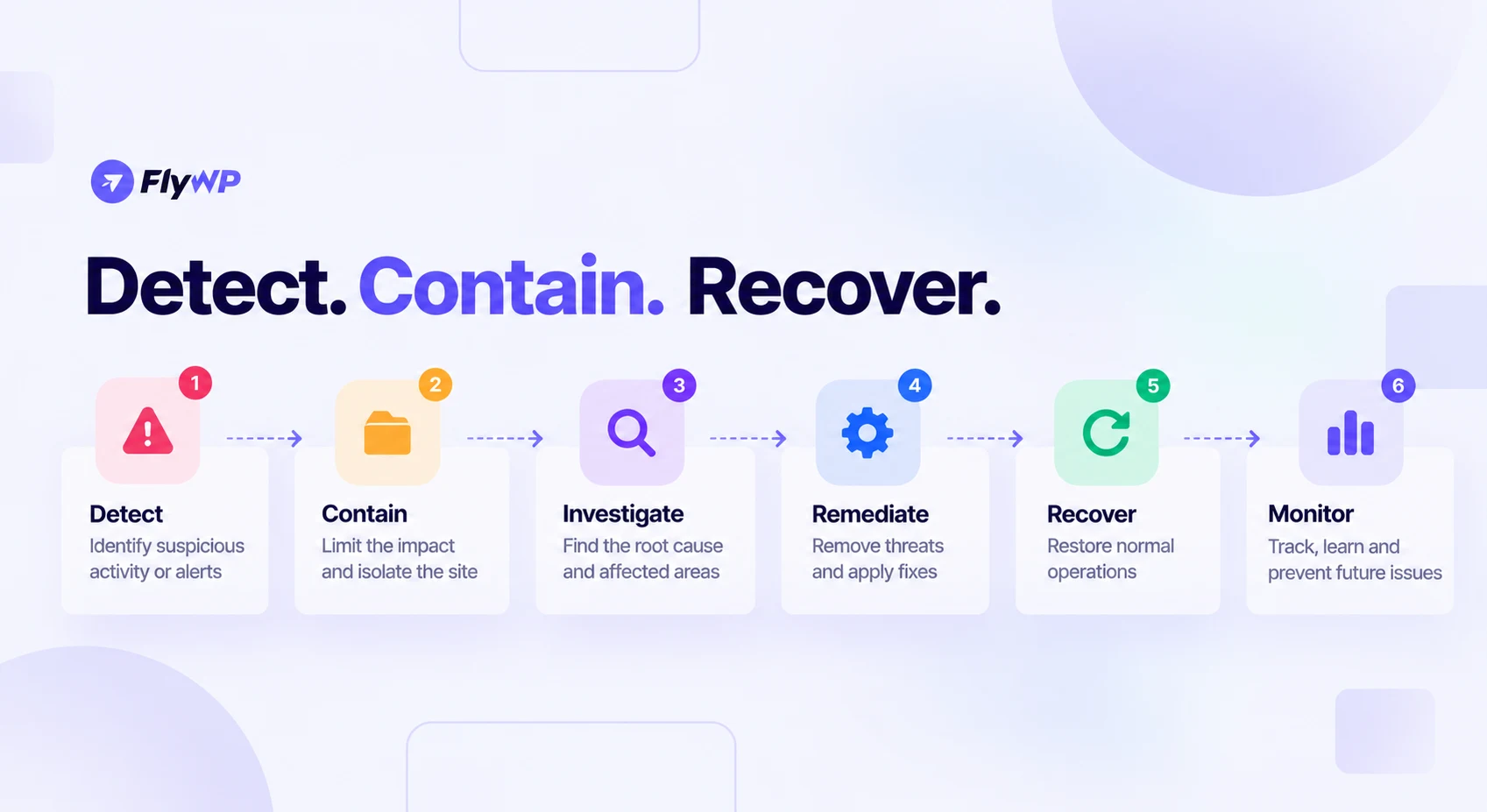
Even with strong preventive controls, incidents can happen. Agencies need a documented process for responding quickly and consistently.
Use this six-step workflow:
- Identify: Confirm the alert, assess the potential impact, and identify affected websites.
- Contain: Restrict access, isolate the affected environment, or disable compromised accounts as appropriate.
- Investigate: Preserve relevant logs and determine the likely entry point and scope.
- Remediate: Remove malicious code, patch vulnerabilities, rotate compromised credentials, and close the entry point.
- Recover: Restore from a verified clean backup if needed and validate the website's functionality.
- Monitor: Watch for recurring indicators of compromise and document lessons learned.
Avoid immediately deleting suspicious files or restoring a backup without considering evidence preservation and the root cause. Otherwise, important clues may be lost or the original vulnerability may remain unresolved.
Assign incident owners in advance and define escalation criteria based on severity and business impact. A documented process reduces confusion when multiple team members and clients need to coordinate.
11. Communicate Security Incidents Clearly to Clients
Technical remediation is only part of incident management. Agencies must also keep clients informed.
When a security incident affects a client, communicate verified facts in clear language.
Explain:
- What is known about the incident.
- Which services or websites are affected.
- What containment and recovery actions are underway.
- Whether the client needs to take any action.
- When the next update will be provided.
Avoid making unsupported claims that a site is completely secure or that no data was affected before the investigation establishes those facts.
Define communication responsibilities in advance and follow applicable contractual, regulatory, and legal notification requirements.
Clear communication helps clients understand the situation and reinforces confidence in your agency's response process.
WordPress Security Checklist for Agencies Managing 50+ Websites
Use this checklist as a starting point for your agency's security operations. For a broader list that goes beyond WordPress, see our ultimate website security checklist.
Monitoring and updates
- Maintain an inventory of every client website.
- Monitor vulnerabilities affecting installed software.
- Prioritize critical and actively exploited vulnerabilities.
- Apply updates and verify that they work correctly.
Protection and access
- Configure appropriate firewall and login protections.
- Run malware scans and investigate suspicious changes.
- Isolate websites and restrict cross-site access.
- Enforce MFA and least-privilege permissions.
- Review user accounts and remove unnecessary access.
Recovery and response
- Maintain protected, off-site backups.
- Test backup restoration regularly.
- Document incident response and escalation procedures.
- Prepare a client communication process.
- Track remediation and document lessons learned.
Review critical security alerts as they arise, perform scheduled maintenance, and conduct a formal portfolio security review at least monthly. Adjust these frequencies based on risk, client commitments, and the nature of each website.
How to Scale WordPress Security Without Adding More Manual Work
Securing 50+ websites does not have to mean managing 50 separate workflows.
Agencies can reduce repetitive work by centralizing website visibility, standardizing maintenance procedures, automating appropriate checks, and documenting responsibilities.
A WordPress management platform such as FlyWP can support the operational side of this process by helping agencies manage WordPress sites and their server infrastructure through a more centralized workflow. Its role should be considered alongside the security controls appropriate to each deployment, including vulnerability monitoring, malware detection, firewall protection, and backup recovery.
In practice, that covers several of the controls above from one dashboard:
- Vulnerability monitoring: The vulnerability scanner checks each site's core, plugins, and themes daily against a Patchstack advisory feed.
- Virtual patching: FlySecurity Pro applies Patchstack virtual patches to vulnerable components while a permanent fix is tested.
- File integrity: The WordPress integrity checker compares core and WordPress.org plugin files against the official versions.
- Logs: The logs viewer brings web server, PHP, and WordPress debug logs into one place.
- Backups: Scheduled site backups go to off-site storage you control.
The objective is to give your team a consistent view of its infrastructure and a repeatable process for managing websites as the client portfolio grows.
Security should become part of your agency's operating model—not a task that gets attention only after something goes wrong. If you are still weighing where your client sites should live, our guides to the best managed WordPress hosting for agencies and bring your own server hosting compare the options.
Frequently Asked Questions About WordPress Security for Agencies
How do you secure 50 or more WordPress websites?
Start with a complete website inventory, centralized vulnerability monitoring, risk-based updates, strong access controls, suitable firewall protection, malware detection, isolated environments, and tested backups. Assign responsibilities and use a documented incident response process so your team can manage the entire portfolio consistently.
What is the best way to monitor WordPress vulnerabilities across multiple sites?
Use a combination of software inventory, trusted vulnerability advisories, security monitoring tools, and centralized reporting. Identify which websites run affected components, prioritize vulnerabilities by severity and exploitation status, and track remediation until each affected site has been checked.
Are WordPress security plugins enough to protect client websites?
No single security plugin can guarantee complete protection. Security plugins can provide useful capabilities such as scanning, login protection, and monitoring, but agencies should also maintain software updates, secure hosting, restrict permissions, isolate environments, protect backups, and prepare for incidents.
How often should agencies update WordPress plugins and themes?
Review updates regularly and deploy critical security fixes through an expedited process when risk warrants it. Routine updates should follow a defined maintenance schedule, with suitable testing and backups. The appropriate frequency depends on the vulnerability, site requirements, compatibility risks, and client commitments.
What is virtual patching in WordPress security?
Virtual patching uses security rules, often enforced through a WAF or similar layer, to block known exploitation attempts against a vulnerability without modifying the vulnerable code. It can reduce exposure temporarily, but agencies should still apply the permanent fix or remove the affected component.
How can agencies prevent one hacked WordPress site from affecting others?
Use appropriate isolation between websites, separate credentials and databases where practical, restrict filesystem permissions, and avoid unnecessary cross-site access. Secure shared infrastructure and investigate compromised accounts quickly. The effectiveness of these controls depends on the hosting architecture and the boundaries it enforces.
What is the best firewall for WordPress agencies?
The best choice depends on your hosting architecture, traffic patterns, security requirements, and operational workflow. Compare WAF capabilities, rule management, logging, false-positive handling, rate limiting, and portfolio-wide visibility. A firewall should complement software updates, secure authentication, and monitoring rather than replace them.
How often should agencies back up client websites?
Backup frequency should reflect how frequently a website's data changes and how much data loss the business can tolerate. Transaction-heavy sites generally need more frequent backups than static websites. Store backups separately from production, define retention periods, and test restoration regularly.
What should an agency do if a client's WordPress website is hacked?
Confirm the incident, contain the affected site, preserve relevant evidence, investigate the entry point, remove malicious code, patch the vulnerability, and rotate compromised credentials. Restore from a verified clean backup if necessary, validate the site, monitor for recurrence, and communicate verified information to the client.
What is the difference between WordPress security monitoring and malware scanning?
Malware scanning looks for known malicious code or suspicious files, while security monitoring covers a broader set of signals, including vulnerable software, account changes, suspicious activity, and infrastructure alerts. Combining both approaches gives agencies a more complete view of potential risks.
How can agencies manage WordPress security without increasing maintenance costs?
Standardize security policies, centralize site visibility, automate appropriate routine checks, prioritize remediation by risk, and use reusable incident response procedures. This reduces repetitive manual work while helping the team focus on critical findings. Automation should still include verification and clear ownership.
Can centralized WordPress management replace a dedicated security solution?
No. Centralized management can simplify website administration and infrastructure operations, but it should not automatically be treated as a replacement for dedicated vulnerability monitoring, malware detection, firewall controls, secure authentication, and tested recovery procedures. Agencies should evaluate the actual capabilities available in their chosen tools.
Conclusion
WordPress security for agencies is a continuous operational responsibility. Protecting 50+ client websites requires more than installing a security plugin or updating software occasionally. It demands visibility across the portfolio, timely remediation, appropriate isolation, controlled access, reliable backups, and a clear response plan.
Start by inventorying every website, identifying your highest-risk installations, and establishing consistent security procedures. Then centralize the work wherever possible and regularly review whether your controls are working.
A repeatable security process helps your agency reduce operational risk, recover more effectively from incidents, and build stronger, longer-lasting client relationships.