

Managing three WordPress sites is a chore. Managing thirty is a job nobody hired you for. Every update, backup check, security alert, and client report multiplies across your sites until upkeep eats the week. WordPress management tools pull that work into one dashboard. But the eleven options below make very different trade-offs, and a bad pick costs you money or control.
TLDR
- WordPress management tools handle updates, backups, monitoring, and client reports for many sites from one dashboard.
- Your first choice is self-hosted or hosted. MainWP and InfiniteWP put the dashboard on your server. WP Umbrella, Modular DS, ManageWP, and WP Remote run it on theirs.
- MainWP is the best free self-hosted option. WP Umbrella has the cleanest per-site price. Modular DS suits agencies who want a fixed monthly bill.
- Nearly every guide skips one point. The dashboard is software too. It needs patching, and it holds admin logins for every site you connect.
- Most of these tools watch sites on hosting you cannot change. FlyWP manages the server itself, so problems get fixed instead of reported. That is a different job.
Understand What a WordPress Management Tool Does
A WordPress management tool connects to each of your sites and pulls routine upkeep into one panel. Instead of logging into thirty dashboards, you log into one. Most tools here cover the same jobs.
- One-click login to any connected site
- Bulk updates for core, plugins, and themes
- Scheduled offsite backups with one-click restore
- Uptime and speed monitoring with alerts
- Malware and vulnerability scanning
- White-label client reports
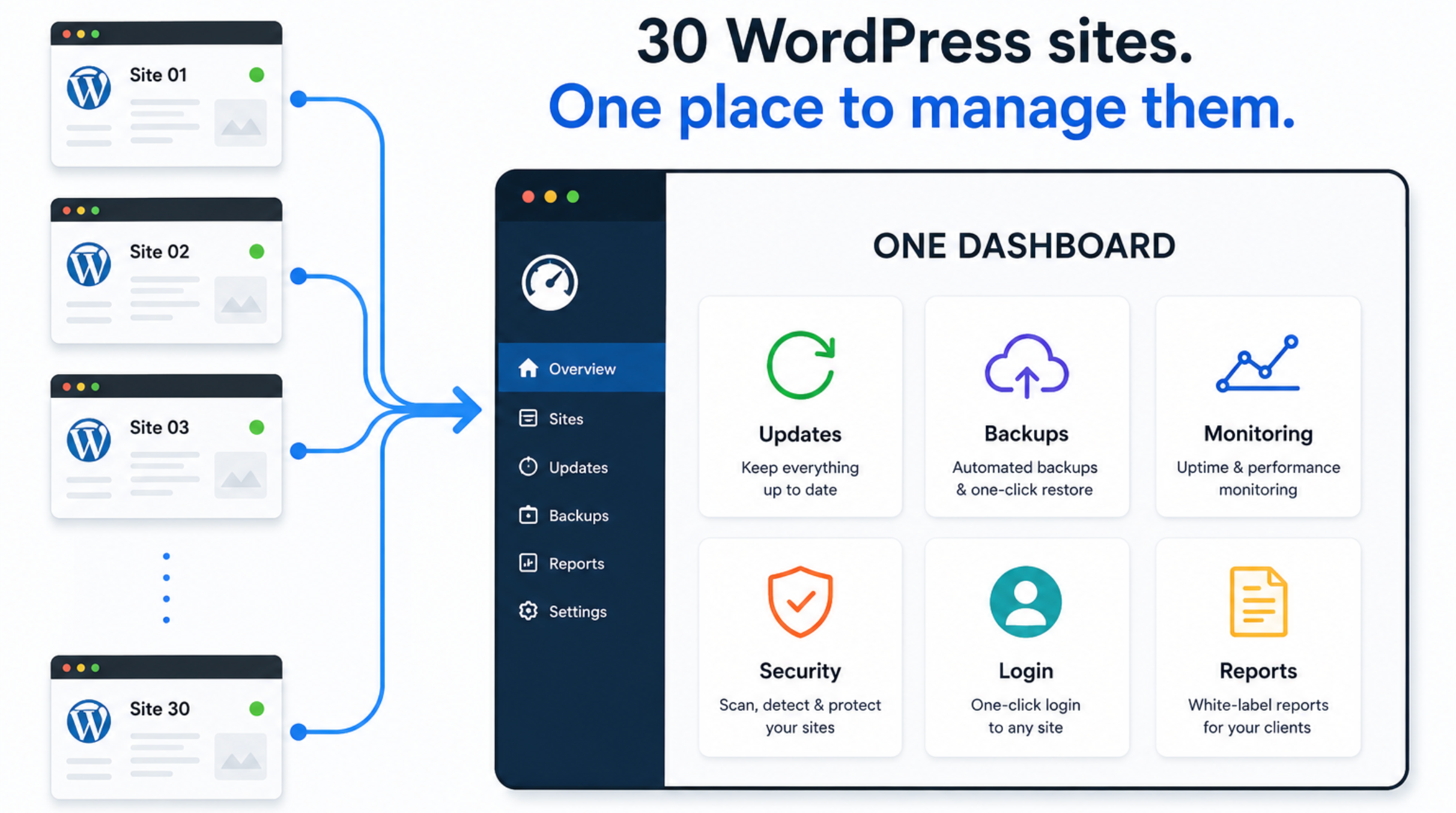
They differ in three ways. Where the dashboard runs. How the price scales. And how far past upkeep they go. Some are free and self-hosted. Some charge per site. A few add billing, hosting, or client portals on top.
Compare the Tools at a Glance
We checked these prices against each vendor’s own pricing page in August 2026. Anything we could not confirm is marked unverified. Check the current total before you buy. Prices in this category change often.
| Tool | Model | Free tier | Paid entry price | Stands out for |
|---|---|---|---|---|
| MainWP | Self-hosted | Yes, unlimited sites | $29 per month, $199 per year | Open source, you own the data |
| WP Umbrella | Hosted SaaS | No, 2-week trial | €1.99 per site per month | Everything included, no tiers |
| Modular DS | Hosted SaaS | Yes, plus 14-day trial | Unverified, see note | Update Copilot risk scoring |
| ManageWP | Hosted SaaS | Yes, core features free | Per site, per add-on | Free core for unlimited sites |
| InfiniteWP | Self-hosted | Yes, core panel | $147 per year, 10 sites | Flat annual licence tiers |
| BlogVault | Hosted SaaS | No, 7-day trial | Unverified, see note | WooCommerce backup depth |
| WP Remote | Hosted SaaS | Yes, free updates | Unverified, see note | UpdateLens safety scoring |
| Solid Central | Hosted SaaS | No | Unverified, see note | Bundles with Solid Security |
| WPMU DEV | Hosted SaaS | No, trial available | Unverified, see note | Plugins, hosting, and clients in one |
| Jetpack | Plugin | Yes | Unverified, see note | Built by Automattic |
| FlyWP | Server control panel | Yes, 1 server and 1 site | $5 per server per month | Fixes speed at the source |
Two columns decide most sales. The free tier tells you if you can test properly first. The pricing model tells you what happens when your site count doubles.
Account for the Dashboard You Also Have to Maintain
Nearly every guide treats a management tool as pure gain. It is not. The dashboard is software. It holds admin logins for every site you connect. That makes it a target.
This cuts two ways.
Run a self-hosted dashboard like MainWP or InfiniteWP, and you now have two upkeep schedules. One for the client sites. One for the server that watches them. That server needs PHP upgrades, SSL renewal, firewall rules, and its own backups.
WP Umbrella makes this exact argument against InfiniteWP. The point holds no matter who makes it. When a critical bug drops, ask two questions. Are my client sites patched? And is the machine holding all their logins patched too?
A hosted dashboard moves that burden to the vendor. In return, you take on their security record and their data location. Connector plugins carry risk as well.
The Modular DS connector changelog on WordPress.org lists fixes for CVE-2026-23800 and CVE-2026-23550. Both were critical privilege escalation flaws. That is not a reason to avoid Modular DS. It is proof that the connecting layer is a real target, and it gets patched like anything else.
Ask any vendor three things before you connect thirty sites. Where does the data live? How is the link secured? What happens when they find a flaw?
Modular DS answers the first two in public. All servers and databases sit inside the European Union. Links use OAuth2 tokens that expire and can be revoked. WordPress logins are never stored. Each request is signed with JSON Web Tokens.
Want the wider view on where WordPress sites get breached? Our guide to common WordPress vulnerabilities covers the attack patterns behind these numbers.
Run the Cost Math at Your Future Size
Headline prices here mislead badly. The three pricing models cross over at different site counts. A tool that looks cheap at ten sites can be your priciest option at fifty.
There are three shapes to watch.
- Per site, per month. WP Umbrella, and ManageWP once you add paid features.
- Flat licence. MainWP and InfiniteWP.
- Fixed tiers with overage. Modular DS.
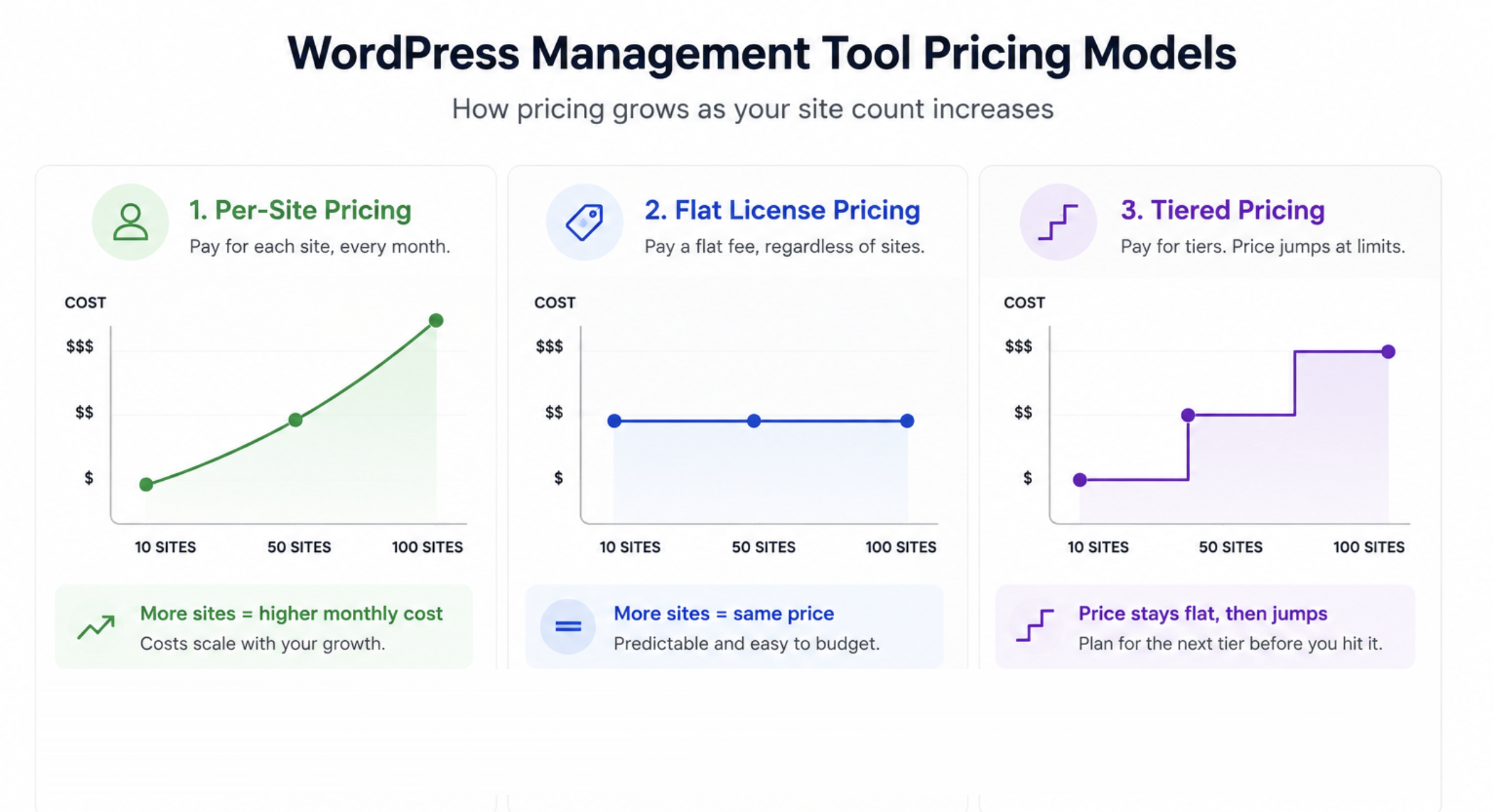
Try a real example. At ten sites, WP Umbrella costs €19.90 a month with everything included. MainWP Pro at $199 a year works out near $16.58 a month. Those look close. Then you add the hosting and admin time for the MainWP server.
Now jump to fifty sites. WP Umbrella becomes €99.50 a month. MainWP Pro is still $199 a year. InfiniteWP’s Agency licence covers unlimited sites for $447 a year. The flat licences win on sticker price, and it is not close.
That is only half the picture. The self-hosted number leaves out the server, the hours spent patching it, and the risk it carries. WP Umbrella argues the total flips once you price that work into the same line. There is a fair case there, even allowing for who makes it.
So run your numbers at the size you expect in two years. Not the size you have now. Then add an hourly figure for keeping any self-hosted panel alive.
Pick the Best WordPress Management Tool for Your Situation
There is no single winner. A freelancer with twelve sites and an agency with two hundred face different problems. These categories match tools to situations.
Best Free Self-Hosted Dashboard: MainWP
MainWP is the strongest pick if you want full ownership of your data at no software cost. You install it on a WordPress site you control. That site becomes the hub for everything else.
The core plugin is free forever and handles unlimited sites. MainWP Pro unlocks the extension library at $29 a month or $199 a year. A lifetime option exists too.
It is also one of the few tools here not owned by a host or a larger corporation. That matters if client privacy is part of your pitch.
MainWP reports more than 20,000 site owners managing over 700,000 sites.
Where it loses. Setup takes real technical skill. You supply and secure the dashboard hosting yourself. The free core also leans on paid extensions once you want proper reporting. Modular DS argues, fairly, that most agencies pay for those extensions anyway.
Pick MainWP if you can run the panel and you want no per-site cost as you grow.
Best All-Inclusive Per-Site Pricing: WP Umbrella
WP Umbrella charges one flat rate per site with every core feature included. That makes the bill easy to predict and easy to pass on to clients.
Backups, uptime monitoring, PHP error tracking, safe updates, vulnerability scanning, and white-label reports all sit in the base price. The rate is €1.99 per site per month. Two add-ons cover Security and Hourly Backups. A two-week trial runs without a credit card. Data sits on European servers, which helps with GDPR questions.
WP Umbrella says it created 8,507,403 backups over the past year. It reports more than 5,000 professionals on the platform as of August 2026.
Where it loses. There is no free tier. Per-site billing also keeps climbing as you scale. At a hundred sites, the flat licence models cost far less on paper.
Pick WP Umbrella if you run client sites on retainer and want one predictable line item.
Best Fixed-Price Hosted Dashboard: Modular DS
Modular DS bundles everything into fixed monthly tiers instead of charging per site. Costs stay flat until you cross a plan limit.
It covers bulk and safe updates, backups and restores, uptime and speed monitoring, vulnerability scans, and database cleanup. Client reports pull in Google Analytics, Search Console, PageSpeed, and WooCommerce data.
Its best feature is Update Copilot. This AI risk score rates how likely a plugin release is to break something before you install it. A 14-day free trial is available.
Where it loses. Pricing is the weak spot for us to report. Their own page and third-party directories quote different entry points. Overage for sites, users, and storage also sits on top of the headline tier. So compare storage, backup frequency, and seats, not just the site count. Check their pricing page for the current figure.
Pick Modular DS if you want a polished hosted dashboard with a bill you can forecast.
Best Free Entry Point: ManageWP
ManageWP gives you core management for unlimited sites at no cost. That makes it the easiest place to start on zero budget.
Premium features come as add-ons. Each is priced monthly per site and billed at month end based on what you used. Bundles cover larger site counts for a flat fee.
It is the oldest name here. ManageWP launched in 2012, and GoDaddy bought it in 2016.
Where it loses. The acquisition is the story. WP Umbrella calls the product functionally stagnant. Modular DS says development has slowed and the interface feels dated. MalCare’s roundup makes a similar point. Add-on pricing also gets hard to predict as sites pile up.
Pick ManageWP if you need free bulk updates and backups today and can live with an older interface.
Best Flat Annual Licence: InfiniteWP
InfiniteWP suits teams who prefer one yearly invoice over monthly per-site billing. The core admin panel is free and self-hosted. Premium features unlock through tiered licences.
Starter is $147 a year for 10 sites. Developer is $247 for 20 sites. Freelancer is $347 for 50 sites. Agency is $447 for unlimited sites. Enterprise is $647 a year. Agency and Enterprise get priority support. Lower tiers wait one to three days.
Where it loses. You carry the same self-hosted burden as MainWP. The interface also has a reputation for being clunky. Scheduled cloud backups sit behind the paid plans.
Pick InfiniteWP if you manage a lot of sites and want the cost per site to drop as you grow.
Best Backup-First Tools: BlogVault and WP Remote
Both come from the same company, so treat them as one decision. BlogVault bought WP Remote in 2019. WP Remote has followed BlogVault’s wider product direction since.
BlogVault is the stronger pick when backup reliability is the real need. Backups run on BlogVault’s servers, not your host. So restores still work when the site is down. Incremental backups also keep load off your server. The WooCommerce tier captures orders as they happen.
WP Remote is the management-shaped product of the pair. UpdateLens scores how safe an update is and takes a backup before applying it.
Where they lose. BlogVault is narrower than a full management platform, and it costs more than basic backup plugins. Prices for both vary widely across third-party sites. Check BlogVault pricing and WP Remote pricing direct.
Pick these if your sites include stores where a lost order costs real money.
Best If You Already Own the Ecosystem: Solid Central and WPMU DEV
These two make sense mainly as ways to cut vendors. Already run Solid Security or the WPMU DEV plugin suite? Adding their management layer removes a supplier instead of adding one.
Solid Central, once called iThemes Sync, handles bulk updates, uptime monitoring, and user management. It bundles with Solid Security and Solid Backups.
WPMU DEV goes furthest past upkeep of anything here. It combines pro plugins, hosting, client billing, and white-label reselling in one account. An agency can sell hosting under its own brand.
Where they lose. Both work best inside their own ecosystems. Buying either purely for site management means paying for a lot you will not touch. Confirm prices on their own sites. The figures in third-party roundups look stale.
Pick these if you are already a customer and want fewer vendors.
Best Single-Site Toolkit: Jetpack
Jetpack is here because people search for it. But it solves a different problem. It is a plugin suite from Automattic for one site, not a dashboard for thirty.
Real-time backups, malware scanning, brute force protection, a CDN, and downtime alerts all sit inside it. Setup takes minutes.
Where it loses. Bulk work across client sites is not what it was built for. The sheer number of features also overwhelms new users. One more warning. Several roundups, including one we published on this blog, have mixed up Jetpack with Jetpack Workflow. That is an unrelated accounting product from a different company.
Pick Jetpack if you run one or two sites and want a single trusted vendor.
Best When the Server Is the Problem: FlyWP
Here is the split that decides this. The tools above connect to sites wherever those sites live. That reach is their strength, and it is also their ceiling. They can tell you a site is slow. They cannot change the machine making it slow.
Say your sites drag. Maybe PHP-FPM is set up wrong. Maybe there is no object cache. Maybe twelve sites share one cramped droplet. A maintenance dashboard will report that problem every single day without ever solving it.
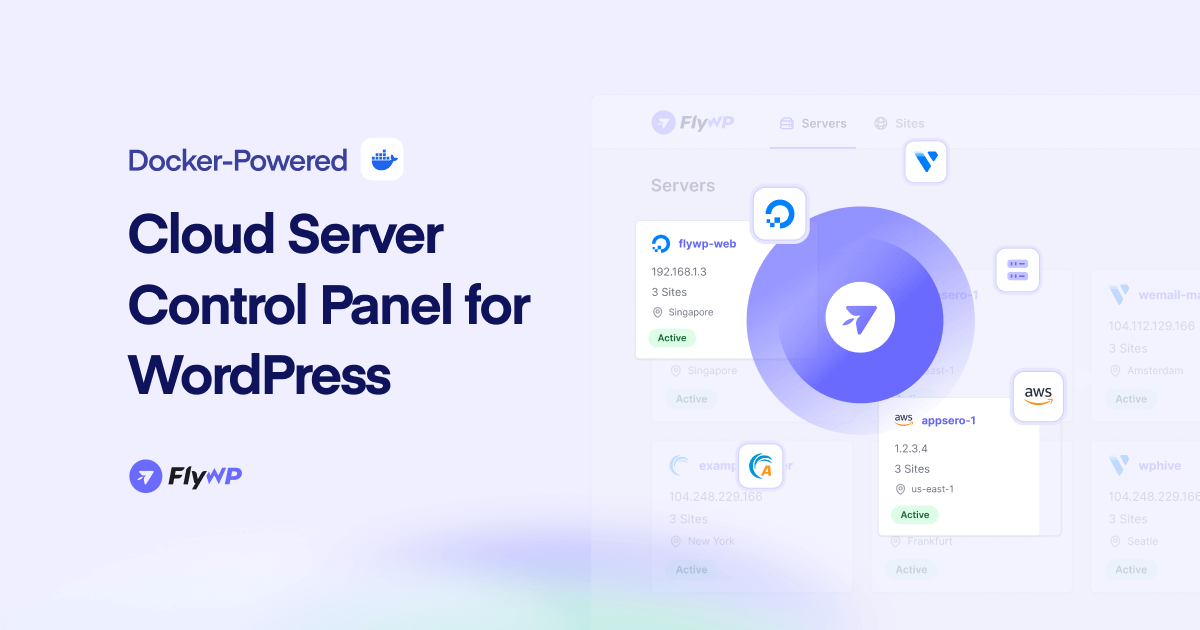
FlyWP works at the server layer instead. It builds and manages cloud servers on DigitalOcean, Vultr, Akamai, AWS, Hetzner, and custom providers. Or you connect a server you already own. Each site runs in its own Docker container, so one hacked site cannot reach the others. Redis and FastCGI caching, free SSL, staging sites, Git deployment, and centralized WordPress updates are built in.
Pricing is per server, not per site. Starter is $5 per server a month for one to three servers. Growth is $4 per server for four to nine. Agency is $3 per server for ten or more. Every tier includes unlimited sites and full root and SSH access. A Free Forever plan covers one server and one site with community support.
Where it loses, plainly. FlyWP is not a multi-site upkeep dashboard and will not replace one. It cannot manage sites hosted elsewhere. So if your client sites sit on twenty different hosts, FlyWP is the wrong tool and MainWP or WP Umbrella is the right one. It also produces no white-label client reports. Backups and uptime monitoring are both excluded from the Free Forever tier, and uptime monitoring is a paid add-on. Agencies who need client reporting will run FlyWP next to a reporting tool, not instead of one.
Pick FlyWP if you control the hosting and the bottleneck is server speed. Our comparison of managed hosting versus cloud hosting goes deeper on that choice. The cloud server management platform roundup compares FlyWP against its real rivals.
Choose Your Tool With Four Questions
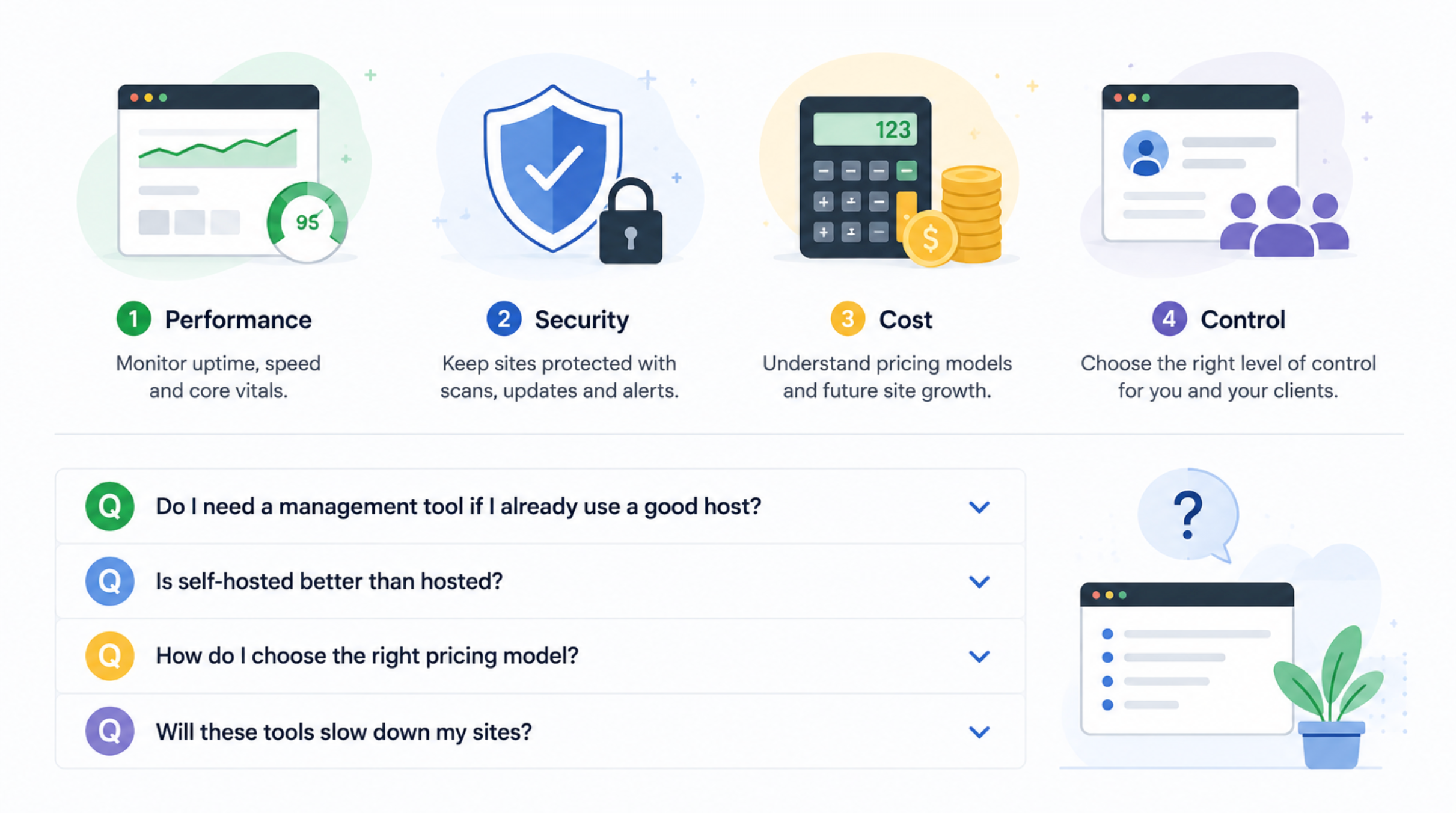
Work through these in order. The first answer usually cuts the list in half.
- Do you control the hosting? If the sites live on hosts you cannot touch, you need a maintenance dashboard. Nothing else will help. If you control the servers, a control panel may fix the root cause instead.
- Self-hosted or hosted? Self-hosted means MainWP or InfiniteWP. No per-site fees, but a second server to secure. Hosted means someone else runs the panel and you accept their data location.
- How will the bill behave at triple the size? Per-site pricing is cheap at ten sites and steep at two hundred. Flat licences flip that. Do the math at your future size.
- What hurts most if it fails? If the answer is a WooCommerce store, weight backup frequency and restore speed above all else. If it is a client relationship, weight reporting and safe updates.
Frequently Asked Questions
Does a management tool slow down my WordPress sites?
The connector plugin adds a little overhead, but the effect is usually tiny. A badly set up server or a bloated theme costs you far more. Tools that run backups on their own servers, like BlogVault, actually cut load because the heavy work happens off your site.
Can I use these tools with WordPress Multisite?
Support varies, so confirm before you buy. BlogVault’s Business tier covers multisite up to a set subsite count. FlyWP supports multisite too. Several tools count a multisite network oddly for billing, which is where the surprises show up.
What happens to my data if the company gets acquired?
You inherit the new owner’s roadmap, and that is not always good news. GoDaddy bought ManageWP in 2016, and several rivals now call its development slow. BlogVault bought WP Remote in 2019. Self-hosted tools dodge this risk because the software runs on your own server.
Do I still need a separate backup plugin?
Usually not, since backups come with almost every tool here. The exception is when your host already runs server-level backups. In that case a second backup layer may just be waste.
Are free WordPress management tools good enough for client work?
For updates and basic backups, yes. MainWP, ManageWP, and InfiniteWP all have usable free tiers. Client reports, safe updates with rollback, and vulnerability scanning are where paid tiers earn their keep. Those are also the features clients notice when they fail.
Can I switch tools later?
Yes, and it hurts less than you think. Most tools connect through a small plugin. Switching means installing a new connector and pulling the old one. Your backup history does not move, so keep the old account alive until the new one has enough history.
Start With the Layer That Is Actually Failing
The best WordPress management tool is the one that matches where your time goes. Losing hours to client logins and maintenance reports? Pick MainWP, WP Umbrella, or Modular DS and take that time back this week.
But if you keep watching a dashboard report the same slow response times month after month, the tool is working, and the server is not. That needs a different fix. Try FlyWP free with one server and one site, and find out whether the sites were ever the problem.