Managing WordPress servers shouldn’t require juggling multiple dashboards, configuring server stacks manually, or spending hours on routine maintenance. Whether you’re a freelancer managing a handful of client sites, an agency scaling to hundreds of websites, or a developer deploying high-performance WordPress applications, the right cloud server management platform can dramatically improve your workflow.
Today’s leading platforms go far beyond basic server administration. They offer one-click WordPress deployment, automated backups, staging environments, SSL management, team collaboration, security hardening, performance optimization, and integrations with major cloud providers like DigitalOcean, Vultr, AWS, Google Cloud, Hetzner, and more.
However, not every platform is built for the same type of user. Some prioritize fully managed hosting, while others focus on giving developers complete control over their own infrastructure. Pricing models, scalability, performance, security, and ease of use can vary significantly depending on your needs.
In this guide, we’ve compared the best WordPress cloud server management platforms available today based on their features, deployment flexibility, cloud provider support, security capabilities, pricing approach, developer experience, and overall value. Rather than simply listing popular tools, we’ll help you understand which platform is the best fit for your workflow.
TL;DR:
All four platforms help you deploy and manage WordPress on cloud servers, but they serve different types of users.
- FlyWP is our Best Overall choice thanks to its unique combination of Managed Hosting and Bring Your Own Server (BYOS) support, Docker-powered architecture, WordPress-first experience, and modern developer workflow.
- Cloudways is ideal if you want a fully managed hosting experience with minimal server administration.
- GridPane is built for agencies and enterprise teams that need deep infrastructure control and advanced server customization.
- RunCloud is a strong choice for developers and freelancers looking for an affordable, self-managed server management platform.
Our Recommendation: If you’re looking for the best balance of performance, flexibility, ease of use, and long-term value, FlyWP is our top recommendation. It combines the convenience of managed hosting with the freedom to manage your own cloud infrastructure, making it a great fit for freelancers, agencies, developers, and growing businesses.
What Actually Matters in a WordPress Cloud Server Management Platform?
Not all WordPress cloud server management platforms are built the same. While many offer similar core features—such as one-click WordPress installation, SSL certificates, backups, and staging environments – the real differences lie in how they handle performance, scalability, security, and day-to-day management.
Before choosing a platform, consider these key factors:
-
Performance & Reliability: A great platform should help you deliver fast, stable WordPress websites with minimal manual optimization. Look for support for modern web servers like Nginx or OpenLiteSpeed, efficient PHP management, Redis object caching, HTTP/3, Brotli compression, and performance monitoring tools that keep your sites running smoothly as traffic grows.
-
Infrastructure Flexibility: Some platforms lock you into their managed hosting environment, while others let you connect and manage your own cloud servers. Depending on your needs, you may prefer a fully managed experience, complete infrastructure ownership, or a platform that offers both options as your business scales.
-
Security & Backups: Your server management platform should make security a built-in advantage—not an afterthought. Features like automated backups, SSL management, firewall integration, vulnerability protection, user access controls, and disaster recovery options can significantly reduce operational risk and downtime.
-
Developer Experience: For developers and technical teams, workflow matters just as much as infrastructure. Git deployment, SSH access, WP-CLI, staging environments, cron job management, site cloning, and streamlined deployment tools can save hours of repetitive work and simplify ongoing maintenance.
-
Agency & Team Collaboration: If you manage multiple client websites, look for features that make collaboration easier. Centralized dashboards, role-based permissions, project organization, and multi-server management can help agencies scale without adding unnecessary complexity.
-
Pricing & Long-Term Value: The cheapest platform isn’t always the most cost-effective. Consider what’s included in the price, whether you’re paying separately for infrastructure, how pricing scales as you add servers, and whether the platform provides the flexibility to grow without unexpected costs or vendor lock-in.
-
Choosing the Right Platform: The best WordPress cloud server management platform isn’t necessarily the one with the longest feature list—it’s the one that fits your workflow today while giving you room to grow tomorrow.
In the following sections, we’ll compare the leading platforms across these criteria to help you find the solution that best matches your technical requirements, budget, and business goals.
1. GridPane Review: Features, Pricing & Pros and Cons

GridPane is one of the most powerful WordPress server management platforms available today. Unlike beginner-focused control panels, it’s designed for agencies, experienced developers, and infrastructure teams managing business-critical WordPress websites at scale.
Its philosophy is simple: provide deep control over your server infrastructure rather than abstracting it away. That means more flexibility for advanced users – but also a steeper learning curve for anyone new to cloud infrastructure.
If your team is comfortable working with VPS providers, server optimization, and advanced WordPress hosting concepts, GridPane offers an impressive toolkit for building high-performance hosting environments.
Key Features
- Enterprise-grade server stack
- GridPane supports multiple performance-focused server stacks, including Nginx and OpenLiteSpeed, giving you the flexibility to choose the best configuration for different WordPress projects instead of being locked into a single architecture.
- Advanced performance optimizationThe platform provides granular control over PHP workers, caching, databases, Redis, and server configuration. This makes it well suited for high-traffic WordPress sites where fine-tuning performance matters.
- Deep infrastructure controlRather than limiting users to dashboard-level settings, GridPane gives administrators extensive control over their cloud servers across providers such as AWS, Google Cloud, DigitalOcean, Vultr, and more. This flexibility is valuable for experienced teams with custom infrastructure requirements.
- Flexible backup and recoveryGridPane supports both local and remote backups, allowing agencies to build backup strategies that match their operational and compliance requirements.
- Security-first approachSecurity is one of GridPane’s strongest selling points. Features like per-site firewalls, malware protection, DNS-level security integrations, and advanced server hardening help agencies secure production environments. However, many of these capabilities require technical knowledge to configure effectively.
Pros
- Purpose-built for agencies and developers managing multiple WordPress websites.
- Excellent performance optimization with advanced server tuning options.
- Enterprise-grade security features and infrastructure management capabilities.
- Strong support for high-traffic WordPress environments.
- Active community, comprehensive documentation, and proactive support for premium customers.
Cons
- Steeper learning curve than most WordPress management platforms.
- Interface and workflow may feel overwhelming for beginners or non-technical users.
- Premium plans can become expensive for freelancers and smaller agencies.
- Many advanced features deliver the most value only if you’re comfortable managing cloud infrastructure and server operations.
Pricing
GridPane offers a Core plan that allows users to manage their own infrastructure at no cost, making it a good entry point for developers exploring the platform. Paid plans introduce additional automation, enterprise features, managed infrastructure options, and premium support, with pricing increasing significantly for agency and enterprise use cases.
While GridPane delivers exceptional flexibility and infrastructure control, its pricing and complexity make it best suited for agencies, hosting providers, and experienced WordPress professionals managing larger production environments.
Who Should Choose GridPane?
Choose GridPane if you:
- Manage dozens or hundreds of WordPress websites.
- Need enterprise-level infrastructure control.
- Have experience with cloud servers and Linux administration.
- Want advanced performance tuning and security capabilities.
- Value flexibility over simplicity.
If your priority is a faster learning curve, modern user experience, and a streamlined WordPress workflow without sacrificing flexibility, platforms like FlyWP may offer a better balance for freelancers, growing agencies, and most WordPress professionals.
2. FlyWP Review: Features, Pricing, Pros & Cons
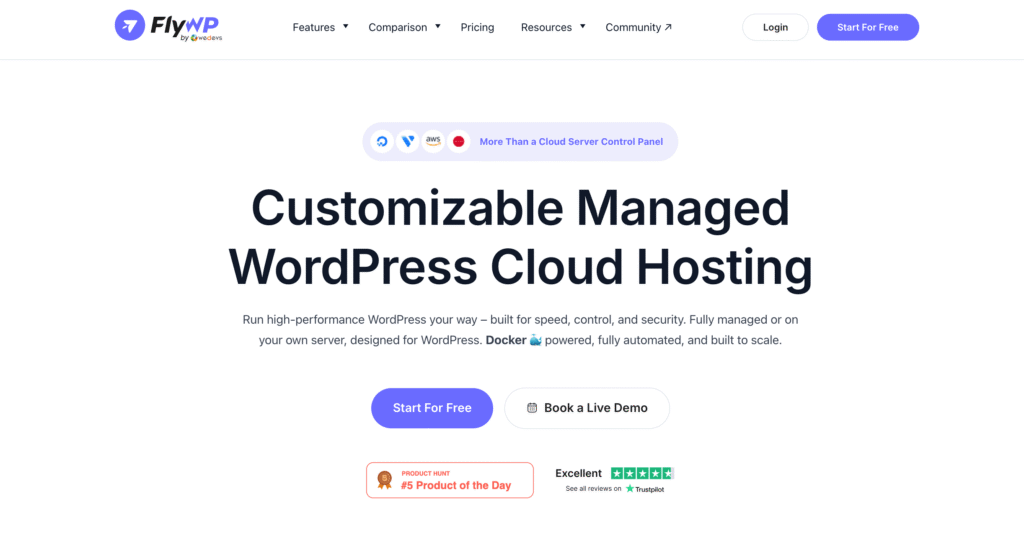
FlyWP is a modern WordPress cloud server management platform built for freelancers, agencies, developers, and businesses that want the flexibility of managing their own cloud infrastructure without the complexity traditionally associated with server administration.
Unlike platforms that force you to choose between a fully managed hosting experience or complete server ownership, FlyWP offers both. You can connect and manage your existing cloud servers (Bring Your Own Server) or provision fully managed cloud servers directly from the FlyWP dashboard—making it a flexible solution as your business grows.
Built on a Docker-based architecture, FlyWP isolates each WordPress site for improved stability, security, and easier maintenance. Combined with support for multiple cloud providers, automated workflows, developer-friendly tools, and a clean interface, it delivers a balanced experience for both technical and non-technical WordPress professionals.
Key Features
- Managed Hosting and Bring Your Own Server (BYOS): Choose the deployment model that fits your workflow. Provision fully managed cloud servers directly through FlyWP or connect your own infrastructure from providers like DigitalOcean, Vultr, Hetzner, AWS, Google Cloud, Azure, Akamai Cloud, and more.
- Docker-Powered Infrastructure: Every WordPress site runs in its own isolated Docker container, helping improve security, stability, and deployment consistency while reducing the risk of one website affecting another.
- Optimized WordPress Performance: FlyWP supports both Nginx and OpenLiteSpeed server stacks, along with Redis Object Cache, PHP optimization, OPcache, Brotli compression, HTTP/3, and built-in caching tools to help deliver fast-loading WordPress websites.
- One-Click WordPress Deployment: Launch new WordPress sites in minutes with automated SSL, database creation, PHP configuration, and server optimization already handled.
- Developer-Friendly Workflow: Features like Git deployment, SSH access, staging environments, WP-CLI, cron job management, and site cloning make FlyWP well suited for modern development workflows.
- Built-In Security Features: FlyWP includes automated backups, firewall integration, SSL management, security monitoring, vulnerability scanning, user permission management, and other tools to help protect WordPress servers with minimal manual configuration.
- Centralized Multi-Server Management: Manage multiple servers and WordPress sites from a single dashboard, making it easy for agencies and teams to organize infrastructure across clients and projects.
Pros
- Flexible deployment with both Managed Hosting and Bring Your Own Server support.
- Docker-based architecture provides better site isolation and operational consistency.
- Built specifically for WordPress rather than generic PHP applications.
- Supports leading cloud providers without locking users into a single infrastructure vendor.
- Modern, intuitive interface that’s approachable for beginners while offering advanced capabilities for developers.
- Strong balance of performance, automation, security, and ease of use.
- Transparent, scalable pricing without feature-based restrictions across plans.
Cons
- Some advanced infrastructure customization available through enterprise-focused platforms may exceed the needs of FlyWP’s primary audience.
- Users completely new to cloud servers may still need a basic understanding of concepts like VPS providers, DNS, and domains when using the BYOS model.
Pricing
FlyWP offers a Free Forever plan that lets you manage one server and one WordPress site at no cost, making it easy to evaluate the platform before upgrading.
Paid plans use a transparent usage-based pricing model for self-managed servers, while Managed Hosting plans combine cloud infrastructure and server management into a single monthly price. This gives users the flexibility to choose the pricing model that best matches their infrastructure and business requirements.
Who Should Choose FlyWP?
Choose FlyWP if you:
- Manage WordPress websites for clients or your own business.
- Want the flexibility of both managed hosting and self-managed cloud servers.
- Prefer a platform built specifically for WordPress rather than a generic server control panel.
- Need a modern deployment workflow with Git, staging, backups, and automation.
- Want to manage multiple cloud providers from one dashboard.
- Are looking for a solution that balances ease of use with advanced developer capabilities.
Verdict
FlyWP is our Best Overall recommendation because it strikes an excellent balance between simplicity, flexibility, and performance. It removes much of the operational complexity of WordPress server management while still giving developers and agencies the control they need.
Whether you’re launching your first production server, managing dozens of client websites, or scaling a growing agency, FlyWP provides a modern workflow that adapts to your needs without locking you into a single cloud provider or hosting model
3. Cloudways Review: Features, Pricing, Pros & Cons
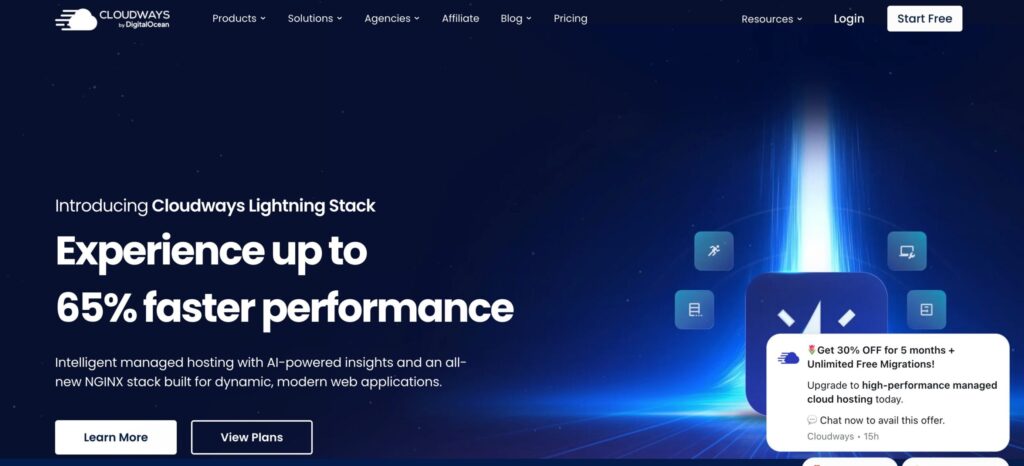
Cloudways is one of the most established names in managed cloud hosting for WordPress. Rather than acting solely as a server management panel, it provides a fully managed hosting experience that simplifies cloud infrastructure for businesses, agencies, and website owners who prefer not to manage servers themselves.
Instead of provisioning and maintaining cloud servers manually, users can launch and manage WordPress applications through Cloudways while the platform handles much of the underlying infrastructure, including server maintenance, updates, security patches, and monitoring.
This managed-first approach makes Cloudways an excellent option for users who prioritize convenience over infrastructure control.
Key Features
- Fully Managed Cloud HostingCloudways provisions and manages cloud servers on providers like DigitalOcean, AWS, Google Cloud, Vultr, and Linode, allowing users to focus on building websites instead of maintaining infrastructure.
- Optimized WordPress StackThe platform includes an optimized hosting stack with Nginx, Apache, PHP-FPM, Redis, Memcached, Varnish Cache, and built-in performance optimizations designed to improve WordPress speed and reliability.
- One-Click WordPress DeploymentLaunch WordPress websites quickly with automatic server provisioning, SSL certificates, backups, staging environments, and application management built into the platform.
- Performance and Monitoring ToolsBuilt-in server monitoring, application performance metrics, automated backups, vertical scaling, and CDN integration help users maintain fast, reliable websites with minimal manual configuration.
- Team CollaborationAgencies and teams can manage multiple projects using role-based access, project organization, and collaborative workflows for clients and internal teams.
Pros
- Excellent choice for users who want a fully managed cloud hosting experience.
- Fast and straightforward WordPress deployment with minimal technical knowledge required.
- Strong performance optimization and built-in caching technologies.
- Reliable infrastructure backed by leading cloud providers.
- Mature platform with extensive documentation, integrations, and customer support.
Cons
- Less infrastructure flexibility than platforms focused on Bring Your Own Server (BYOS).
- Pricing includes both cloud infrastructure and management fees, making it more expensive than self-managed alternatives over time.
- Advanced server customization is more limited compared to developer-focused server management platforms.
- Users are more closely tied to the Cloudways ecosystem than with platforms that manage independently owned infrastructure.
Pricing
Cloudways uses a managed hosting pricing model where infrastructure costs and platform management are bundled into a single monthly fee. Pricing varies depending on your chosen cloud provider and server specifications.
While the bundled approach simplifies billing and server management, businesses managing multiple servers at scale may find self-managed platforms more cost-effective over the long term.
Who Should Choose Cloudways?
Choose Cloudways if you:
- Prefer a hands-off, fully managed hosting experience.
- Don’t want to manage server maintenance or operating system updates.
- Need to launch WordPress websites quickly with minimal infrastructure knowledge.
- Value convenience and managed support over advanced server customization.
- Run business websites where operational simplicity is the highest priority.
Verdict
Cloudways remains one of the strongest managed WordPress cloud hosting platforms available, particularly for businesses and users who want cloud performance without the responsibility of managing servers.
However, if you want greater flexibility over your infrastructure, the option to manage your own cloud servers, or a platform purpose-built for modern WordPress workflows with both Managed Hosting and Bring Your Own Server support, FlyWP offers a more versatile solution that can scale alongside your technical requirements.
4. RunCloud Review: Features, Pricing, Pros & Cons

RunCloud is a lightweight cloud server management platform that helps developers, freelancers, and small agencies manage their own cloud infrastructure without dealing with complex Linux server administration. Instead of providing managed hosting, RunCloud lets you connect your existing VPS and simplifies tasks like server provisioning, WordPress deployment, SSL management, backups, and performance optimization.
Its clean interface, affordable pricing, and straightforward workflow have made it a popular choice among users who want more control over their infrastructure while avoiding the complexity of traditional server management.
If you’re comfortable using cloud providers like DigitalOcean, Vultr, Hetzner, AWS, or Google Cloud, RunCloud offers an accessible way to manage WordPress servers without needing deep DevOps expertise.
Key Features
- Bring Your Own Server (BYOS): Connect and manage your own cloud servers from popular providers, giving you full ownership of your infrastructure while simplifying day-to-day server management.
- Optimized Web Server Stack: RunCloud supports Nginx, Apache, and OpenLiteSpeed, allowing users to choose a server stack that best fits their WordPress applications and performance requirements.
- One-Click WordPress Deployment: Deploy WordPress quickly with automated SSL certificates, PHP configuration, database setup, and essential server optimizations.
- Performance Optimization: Built-in support for Redis Object Cache, PHP tuning, Brotli compression, HTTP/3, and caching technologies helps improve WordPress performance with minimal manual configuration.
- Developer Tools: SSH access, Git deployment, cron job management, staging environments, and backup scheduling make RunCloud suitable for modern WordPress development workflows.
Pros
- Simple, intuitive interface that’s easy to learn.
- Affordable pricing for freelancers and small agencies.
- Supports multiple cloud providers and popular web server stacks.
- Strong developer features, including Git deployment and SSH access.
- Good balance between flexibility and ease of use for self-managed infrastructure.
Cons
- Does not offer fully managed hosting or server provisioning.
- Site isolation relies on the underlying server configuration rather than containerized architecture.
- Collaboration and workflow features are more limited than platforms designed for larger agency teams.
- Some advanced automation and enterprise capabilities are reserved for higher-tier plans.
Pricing
RunCloud offers a free plan for personal use with paid plans that unlock additional server management features, backups, collaboration tools, monitoring, and premium support.
Its pricing is competitive for users managing their own infrastructure, making it an attractive option for developers and freelancers looking for an affordable server management platform.
Who Should Choose RunCloud?
Choose RunCloud if you:
- Already manage your own VPS or cloud servers.
- Want an affordable and easy-to-use server management panel.
- Need essential developer tools like Git deployment and SSH access.
- Prefer managing your own infrastructure rather than using managed hosting.
- Are a freelancer or small agency managing multiple WordPress websites.
Verdict
RunCloud is a reliable and cost-effective choice for users who want to simplify self-managed WordPress server administration without giving up infrastructure ownership. Its intuitive interface, developer-friendly workflow, and broad cloud provider support make it a strong option for freelancers and growing agencies.
However, if you want the flexibility to choose between Bring Your Own Server and fully managed cloud hosting, along with Docker-based site isolation, a WordPress-first architecture, and more scalable agency workflows, FlyWP provides a more comprehensive platform that grows with your business.
WordPress Cloud Server Management Platforms at a Glance
If you’re looking for a quick recommendation, here’s how the leading WordPress cloud server management platforms compare based on their strengths and ideal use cases.
| Platform | Best For | Hosting Model | Ease of Use | Starting Price |
|---|---|---|---|---|
| FlyWP 🏆 | Agencies, freelancers, developers, growing businesses | Managed Hosting + Bring Your Own Server | ⭐⭐⭐⭐⭐ | Free plan available |
| Cloudways | Users who want fully managed hosting | Fully Managed Hosting | ⭐⭐⭐⭐⭐ | Paid plans |
| GridPane | Enterprise agencies and infrastructure teams | Bring Your Own Server | ⭐⭐⭐ | Free Core plan + Paid plans |
| RunCloud | Developers and budget-conscious freelancers | Bring Your Own Server | ⭐⭐⭐⭐ | Free plan available |
Our Recommendation: If you want the best balance of flexibility, performance, developer tools, and ease of use, FlyWP is our top overall pick. However, if you prefer a completely hands-off hosting experience, Cloudways is an excellent alternative. For enterprise infrastructure management, GridPane remains a strong choice, while RunCloud offers an affordable solution for self-managed cloud servers.
Final Verdict: Which WordPress Cloud Server Management Platform Should You Choose?
The best WordPress cloud server management platform ultimately depends on your workflow, technical expertise, and long-term infrastructure goals.
If you prefer a fully managed hosting experience with minimal server administration, Cloudways is an excellent choice. If you manage enterprise-scale WordPress infrastructure and need extensive server customization, GridPane offers one of the most powerful toolsets available. And if you’re looking for an affordable, self-managed solution with a straightforward interface, RunCloud continues to be a solid option for developers and small agencies.
However, after comparing the leading platforms across flexibility, performance, ease of use, cloud provider support, developer workflow, scalability, and overall value, FlyWP stands out as our Best Overall recommendation.
What makes FlyWP different isn’t just its feature set, it’s the flexibility it gives users. Whether you want to manage your own cloud servers or provision fully managed infrastructure, FlyWP lets you choose the workflow that best fits your business. Combined with its Docker-based architecture, WordPress-first design, support for leading cloud providers, and developer-friendly tools, it delivers a modern platform that scales from a single website to hundreds of client projects.
No matter which platform you choose, investing in the right server management solution can save time, improve website performance, strengthen security, and simplify day-to-day operations.
If you’re looking for a platform that balances simplicity with powerful infrastructure management, FlyWP is well worth exploring. You can start with the Free Forever plan to experience its workflow before upgrading as your needs grow.
Frequently Asked Questions
Still deciding? Here are answers to some of the most common questions about WordPress cloud server management platforms.
Which platform is best for WordPress in 2026?
FlyWP is one of the best WordPress server management platforms in 2026 for its flexibility, pricing model, and modern infrastructure.
What is the cheapest way to host a WordPress site?
The cheapest option is shared hosting.u003cbru003eIt works for small or personal sites, but performance can be inconsistent since resources are shared.u003cbru003eFor better performance at a low cost, many users move to cloud servers with a management tool.
Shared vs VPS hosting: what’s the difference?
*Shared hosting: Multiple sites use the same server resourcesu003cbru003e*VPS hosting: You get a dedicated portion of a serveru003cbru003eVPS is more stable and performs better, especially as your traffic grows.
How does hosting affect wordpress speed?
Hosting has a direct impact on speed. Faster servers, built-in caching, and proper resource allocation all improve load times. If your hosting is slow, plugins alone won’t fix performance issues.
What security features should WordPress hosting include?
Look for these basics:u003cbru003e*SSL certificatesu003cbru003e*Automated backupsu003cbru003e*Firewall protectionu003cbru003e*Malware scanningu003cbru003eGood platforms handle most of this for you, so you don’t have to set it up manually.
Is cloud hosting good for small businesses?
Yes, especially if you expect growth.u003cbru003eCloud hosting offers better uptime, scalability, and performance compared to traditional hosting.u003cbru003eIt helps avoid slowdowns during traffic spikes.
How do I migrate a WordPress site to a new host?
Basic steps:u003cbru003e 1. Backup your siteu003cbru003e 2. Move files and databaseu003cbru003e 3. Update DNS settingsu003cbru003eMany platforms now offer migration tools, including FlyWP which make the process much easier.
What is the best hosting option for WordPress beginners?
Beginners usually prefer something simple to start with.u003cbru003eManaged platforms like Cloudways handle most of the setup, so you don’t have to think much about servers.u003cbru003eBut if you want to actually learn how things work and still keep it manageable, tools like FlyWP are a better long-term option.u003cbru003eYou get a clean dashboard and guided setup, while still having control over your own server as you grow.
What is the difference between WordPress hosting and cloud hosting?
WordPress hosting is optimized specifically for WordPress.u003cbru003eCloud hosting is about how your server is structured.u003cbru003eYou can actually use both together.u003cbru003eFor example:u003cbru003e *WordPress hosting = optimized environmentu003cbru003e *Cloud hosting = scalable infrastructureu003cbru003eWordPress hosting improves ease of use, while cloud hosting improves flexibility and scaling..
Cloudways vs FlyWP: what’s the difference?
Cloudways is managed hosting ,it handles everything for you.u003cbru003eFlyWP is a server management tool, you control your own server while using a dashboard to manage it.u003cbru003eSo it comes down to:u003cbru003e *Cloudways → convenienceu003cbru003e *FlyWP → control + flexibility
Which platform is better for managing multiple client sites?
Platforms that offer isolation and better control work better.u003cbru003eTools like FlyWP, GridPane, or RunCloud are often preferred because they let you manage multiple sites without them affecting each other.
Is managed hosting worth it compared to managing your own server?
It depends on your needs.u003cbru003eManaged hosting is easier but more expensive.u003cbru003eManaging your own server gives you more control and lower long-term costs, but requires some learning.
What happens if one WordPress site crashes on a shared server?
On shared environments, it can affect other sites.u003cbru003eOn isolated setups (like VPS or container-based systems), issues stay limited to one site.u003cbru003eThis is important when managing client projects.