April was all about refining the FlyWP experience where it matters most – your daily workflow.
Instead of focusing on just adding features, this month we worked on improving how you manage servers, handle security, and move faster inside the dashboard.
From simplifying SSL setup with Cloudflare to giving you deeper server-level control and fixing critical workflow interruptions, this release is built to make FlyWP feel smoother, faster, and more reliable.
Let’s take a closer look 👇
⭐ Key Feature Highlights
Simplifying SSL with Cloudflare (Big Workflow Upgrade)
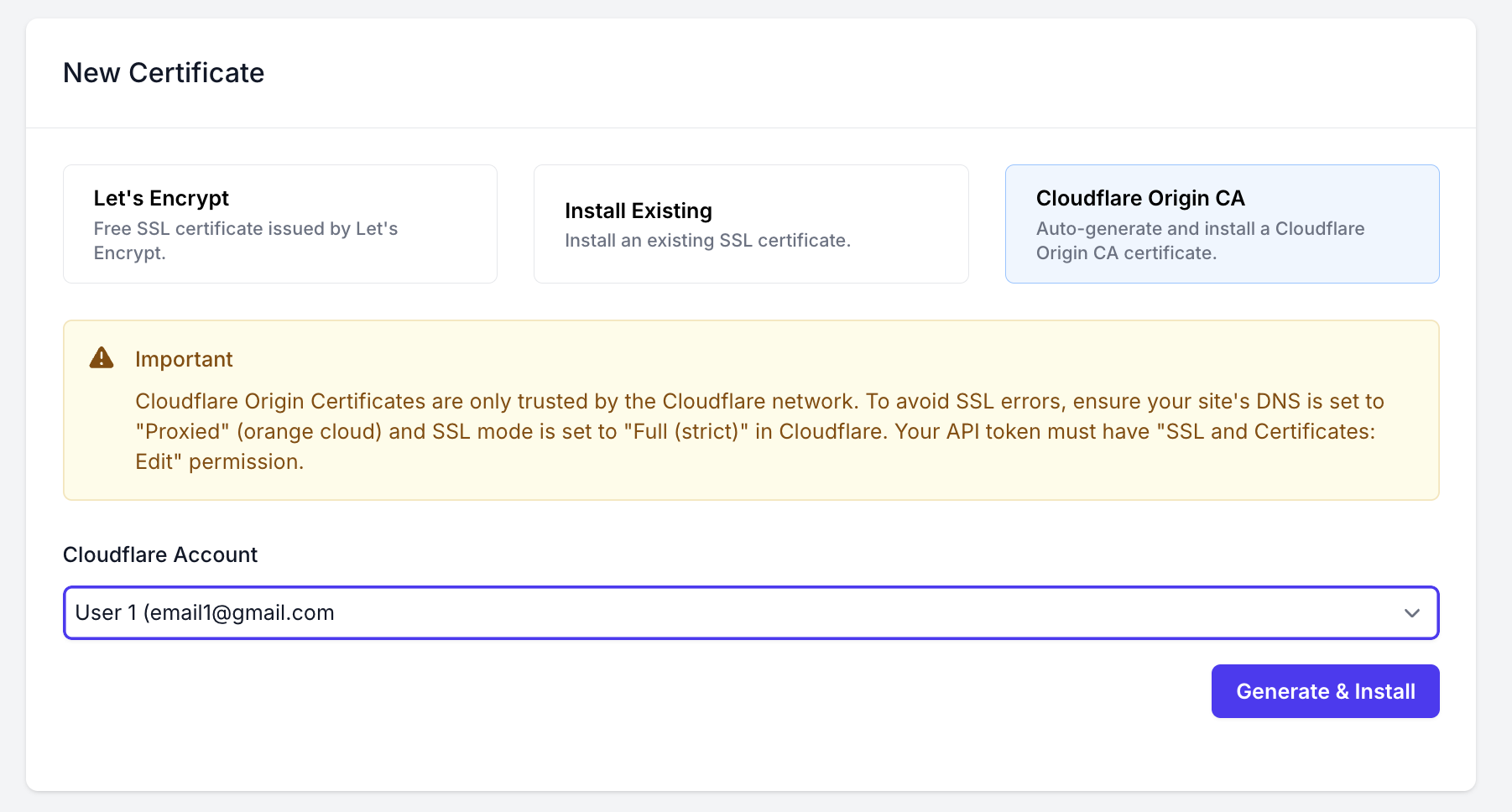
One of the biggest improvements this month is how you handle origin-level SSL security.
You can now install a Cloudflare Origin CA Certificate directly from FlyWP – no manual steps, no switching dashboards.
What’s improved:
- No need to generate certificates manually
- No need to leave FlyWP
- Instant origin server protection
How it works:
- Select your connected Cloudflare account
- Click Generate & Install
- Done – your origin is secured
👉 This removes a multi-step technical process and turns it into a single-click workflow – especially valuable if you manage multiple sites behind Cloudflare. Explore the full documentation to get started →
⚙️ More Server Control with Swap Size Configuration
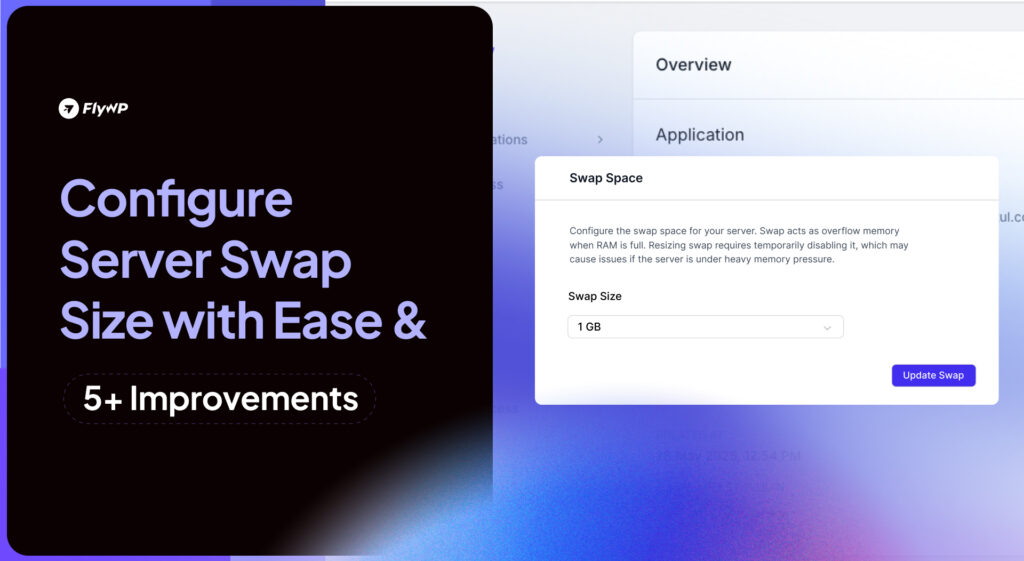
We’ve introduced Swap Size Control – giving you more flexibility at the server level.
You can now configure swap memory directly from your dashboard.
Why this matters:
- Helps stabilize low-memory servers
- Reduces crash risks during traffic spikes
- Gives better performance tuning based on workload
📍 Available at: Server Settings → Swap Space
👉 This is a power-user feature that directly improves real-world server reliability. Explore the full documentation to get started →
🧭 A Cleaner Way to Navigate (New Site Sidebar)
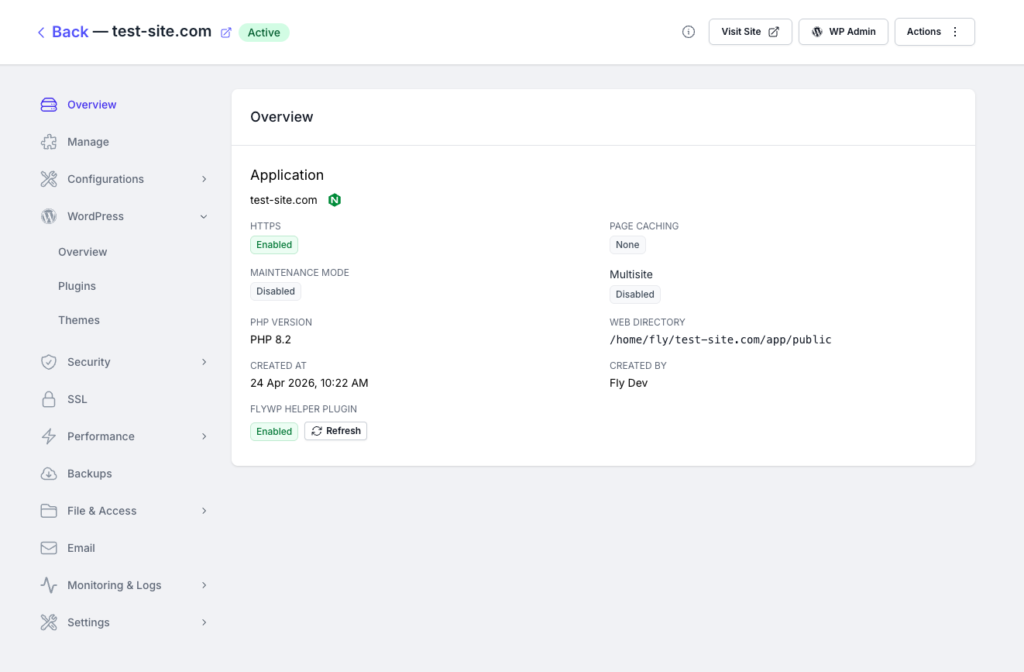
Managing multiple settings should feel effortless – so we redesigned the site sidebar with a nested structure.
What changed:
- More organized layout
- Faster navigation between sections
- Cleaner visual hierarchy
👉 This is one of those improvements you’ll feel every single day.
🔐 Safer Account Changes (Email Confirmation Flow)
Updating your account email now includes a proper confirmation process.
What this adds:
- Better security during sensitive changes
- Clear notification flow
- Reduced risk of accidental updates
Fixes That Improve Daily Reliability
April also focused heavily on removing friction from common workflows.
🔄 Backup Reliability Improved:
Backups getting stuck in “creating” was a serious issue – now resolved.
- More consistent backup processing
- No unnecessary delays
- More confidence in your safety net
🔁 Plugin & Theme Updates – Fixed & Improved:
- Refreshed update badges for better visibility
- Fixed the issue with the individual update button
👉 Updates are now smoother and more predictable.
🎯 UI Polish – Blueprint Submit Button:
A small but important UI fix:
- Improved alignment
- Cleaner interface experience
🔄 The Direction We’re Moving Toward
FlyWP is evolving into something bigger than just a control panel.
A complete, simplified infrastructure layer for WordPress – where performance, control, and usability come together.
We’re continuing to focus on:
- Cleaner, faster UI experience
- Deeper server-level controls
- Workflow simplification
- Reliability at scale
💡 Pro Tip: Explore these new tools in your dashboard now and keep your WordPress sites secure, fast, and easy to manage.
April was focused, practical, and deeply impactful.
From simplifying SSL workflows with Cloudflare to giving you more control at the server level and improving everyday reliability, this month was all about reducing friction where it matters most.
If you haven’t explored these updates yet, now is the perfect time to experience the smoother, more powerful FlyWP workflow.
More improvements are already in motion – and we’re just getting started.
Join our Facebook Community to share feedback, suggest features, and connect with fellow FlyWP users. You can also subscribe to our channel for tutorials, tips, and product updates to get the most out of FlyWP.
See you next month with even more powerful tools and improvements! 👋