


Multi-Cloud Server Support
Connect DigitalOcean, AWS, Vultr, Linode, or any custom VPS to manage everything from one place.
Launch your own hosting brand with FlyWP White Label Explore Plans →
FlyWP is the all-in-one control panel your agency needs. Manage unlimited cloud servers and WordPress sites, collaborate seamlessly with your team, and keep client sites secure from one unified dashboard.
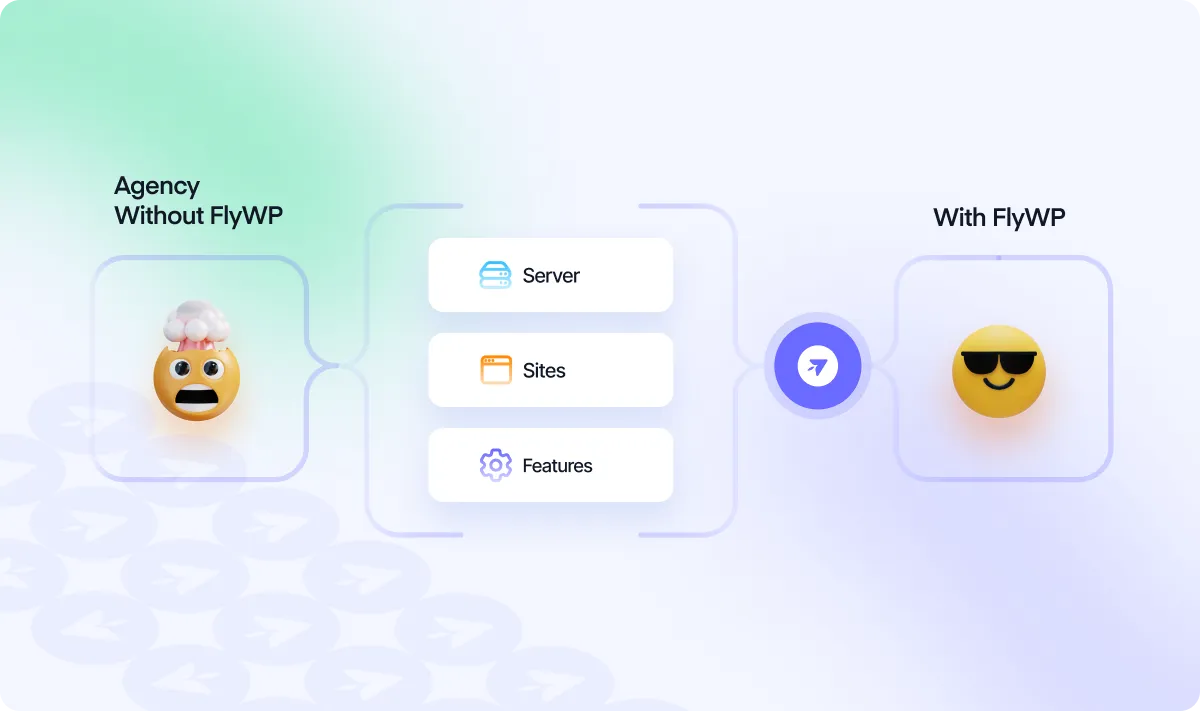
FlyWP brings control to multi-servers and site operations with tools designed to simplify your workflow, secure client data, and reduce overhead.
Connect DigitalOcean, AWS, Vultr, Linode, or any custom VPS to manage everything from one place.
Handle dozens or hundreds of WordPress sites across multiple servers with consistent workflows.
Invite your team with precise access control to specific servers or sites based on their responsibilities.
Allow clients to access only their site, with permission control that keeps other sites secure and hidden.
Apply updates to plugins or themes across all sites in bulk and ensure every site stays up to date.
Create staging sites instantly for testing updates or new features without touching the live site.
Save your client sites backup in multiple backup storage for additional security.
Enable real-time uptime checks and get alerts when any site is down, helping you act before clients notice.
As your client base grows, managing multiple WordPress sites across multiple servers becomes more complex. FlyWP simplifies the process, it helps your team stay focused on what matters most, and delivers great results.
The common problems you will face if you go without FlyWP
Jumping between control panels, logins, and terminals turns routine tasks into time sinks.
Keeping every site updated manually doesn’t just take time, it leaves room for oversight.
Each site often has its own backup setup, and it’s easy for things to fall through the cracks.
Sharing credentials or granting full access is often the only option but not the safest.
Without centralized monitoring, issues often surface only after a client reaches out.
You can avoid all the problems if you continue managing with FlyWP
FlyWP unifies your workflow so your team can handle everything from one smart dashboard.
Batch updates, maintenance mode and other advanced controls help you manage all your sites efficiently and consistently.
FlyWP gives you the freedom to integrate multiple backup providers and lets you automate cloud backups across every client project.
Role-based permissions let you define exactly who can access what, down to a single site.
Real-time uptime alerts mean your team gets notified the moment something goes offline.
FlyWP is a great product so far. Everything seems OK and the roadmap is very promising – I hope they will continue to deliver. 😊
Positively surprised! Excellent performance, time optimization, and VPS configuration for WordPress. I recommend it!
Everything agencies need to know before getting started with FlyWP.
FlyWP is built for scale. You can manage unlimited servers and unlimited WordPress sites from a single dashboard.
Yes. You can manage unlimited sites and servers under one account, whether they’re provisioned through FlyWP or added manually.
FlyWP doesn’t host your sites, we give you the control panel to manage the servers you own. You can use DigitalOcean or connect your own.
Yes. FlyWP supports multiple backup destinations, including Google Drive, Amazon S3, Wasabi, and other S3-compatible storage. And you can automate the backup schedule as you prefer.
You can easily share limited or full permission as you prefer to your client with our granular team management feature. Read the documentation here.
Agencies using FlyWP cut down hours of manual work every week. Don’t let outdated processes slow you down. Make the smarter move today.
Sign-up Now


'%3e%3ccircle%20cx='38'%20cy='34.3867'%20r='34'%20fill='white'/%3e%3c/g%3e%3cpath%20d='M48.2775%2032.3337C49.8588%2033.2466%2049.8588%2035.529%2048.2775%2036.442L34.6385%2044.3165C33.0572%2045.2294%2031.0806%2044.0882%2031.0806%2042.2623L31.0806%2026.5134C31.0806%2024.6875%2033.0572%2023.5463%2034.6385%2024.4592L48.2775%2032.3337Z'%20fill='%237171FF'/%3e%3cdefs%3e%3cfilter%20id='play-shadow'%20x='0.204901'%20y='0.386719'%20width='75.5902'%20height='80.0969'%20filterUnits='userSpaceOnUse'%20color-interpolation-filters='sRGB'%3e%3cfeFlood%20flood-opacity='0'%20result='BackgroundImageFix'/%3e%3cfeColorMatrix%20in='SourceAlpha'%20type='matrix'%20values='0%200%200%200%200%200%200%200%200%200%200%200%200%200%200%200%200%200%20127%200'%20result='hardAlpha'/%3e%3cfeOffset%20dy='8.30178'/%3e%3cfeGaussianBlur%20stdDeviation='1.89755'/%3e%3cfeComposite%20in2='hardAlpha'%20operator='out'/%3e%3cfeColorMatrix%20type='matrix'%20values='0%200%200%200%200%200%200%200%200%200%200%200%200%200%200%200%200%200%200.25%200'/%3e%3cfeBlend%20mode='normal'%20in2='BackgroundImageFix'%20result='effect1_dropShadow'/%3e%3cfeBlend%20mode='normal'%20in='SourceGraphic'%20in2='effect1_dropShadow'%20result='shape'/%3e%3c/filter%3e%3c/defs%3e%3c/svg%3e)