# FlyWP Affiliate Program
Source: https://flywp.com/docs/affiliate-program/flywp-affiliate-program/
Welcome to the FlyWP Affiliate Program. Becoming a FlyWP affiliate is an exciting opportunity to earn commissions by promoting top-tier WordPress server management solutions. Whether you are a blogger, content creator, or website owner, our affiliate program ensures your commission for each qualified sale you refer. Follow this step-by-step guide to get started.
[Video: FlyWP Affiliate Program: Earn Commission Online by Referring & Promoting](https://www.youtube.com/watch?v=qTkg_-e466M)
### How to Register for the Affiliate Program?
To enroll yourself in our affiliate program, you must have an account on FlyWP. If don’t have an account yet, then **sign up** [here](https://app.flywp.com/register) by submitting your Name, Email, and Password.
Check your email inbox and **verify** your email address after signing up. Then [Login](https://app.flywp.com/login) to your FlyWP account using your credentials.
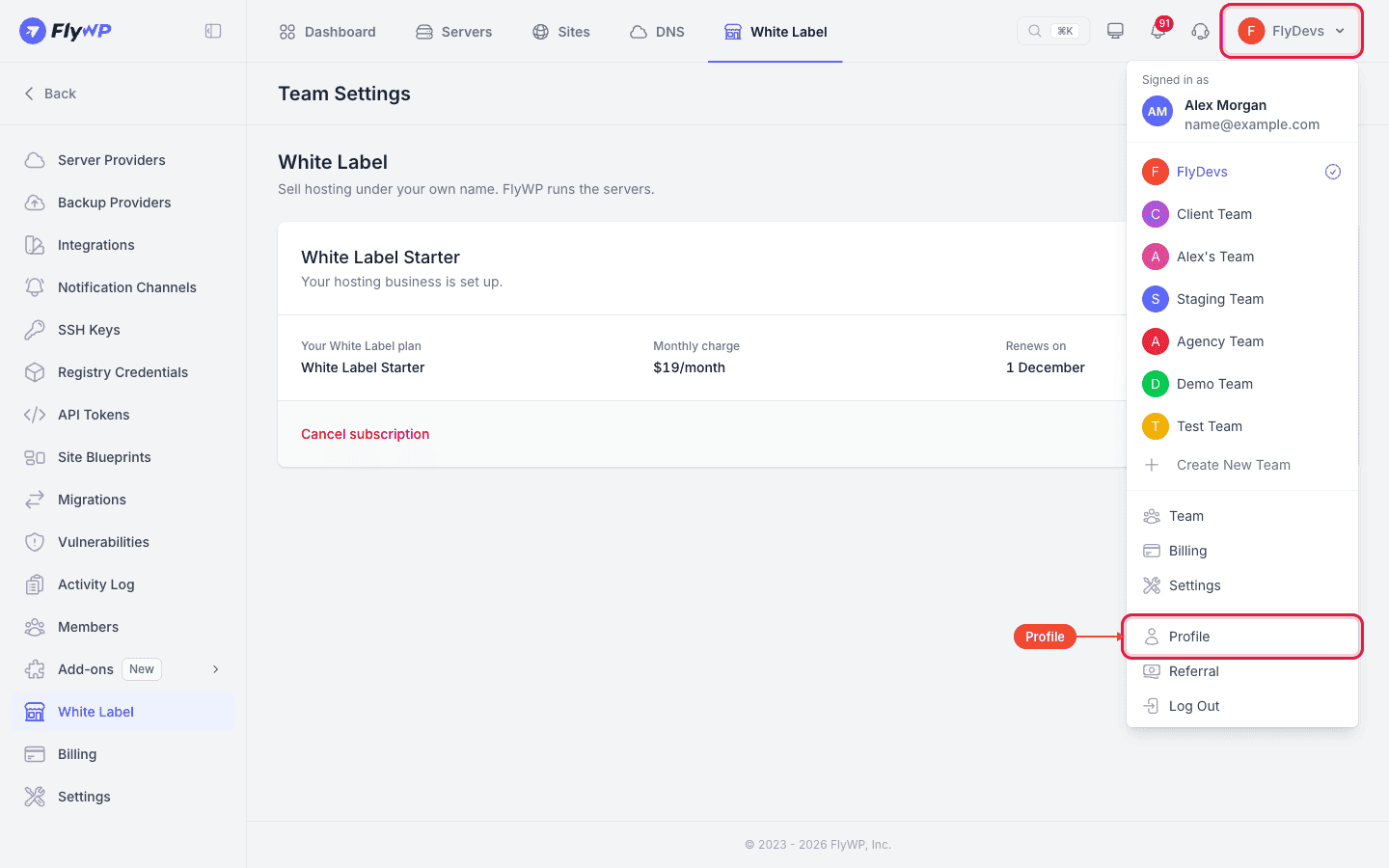
From the FlyWP dashboard, go to the top-right corner of your screen and open the account menu. Choose **Profile**, then click **Referral** in the left sidebar (**Account Settings > Referral**).
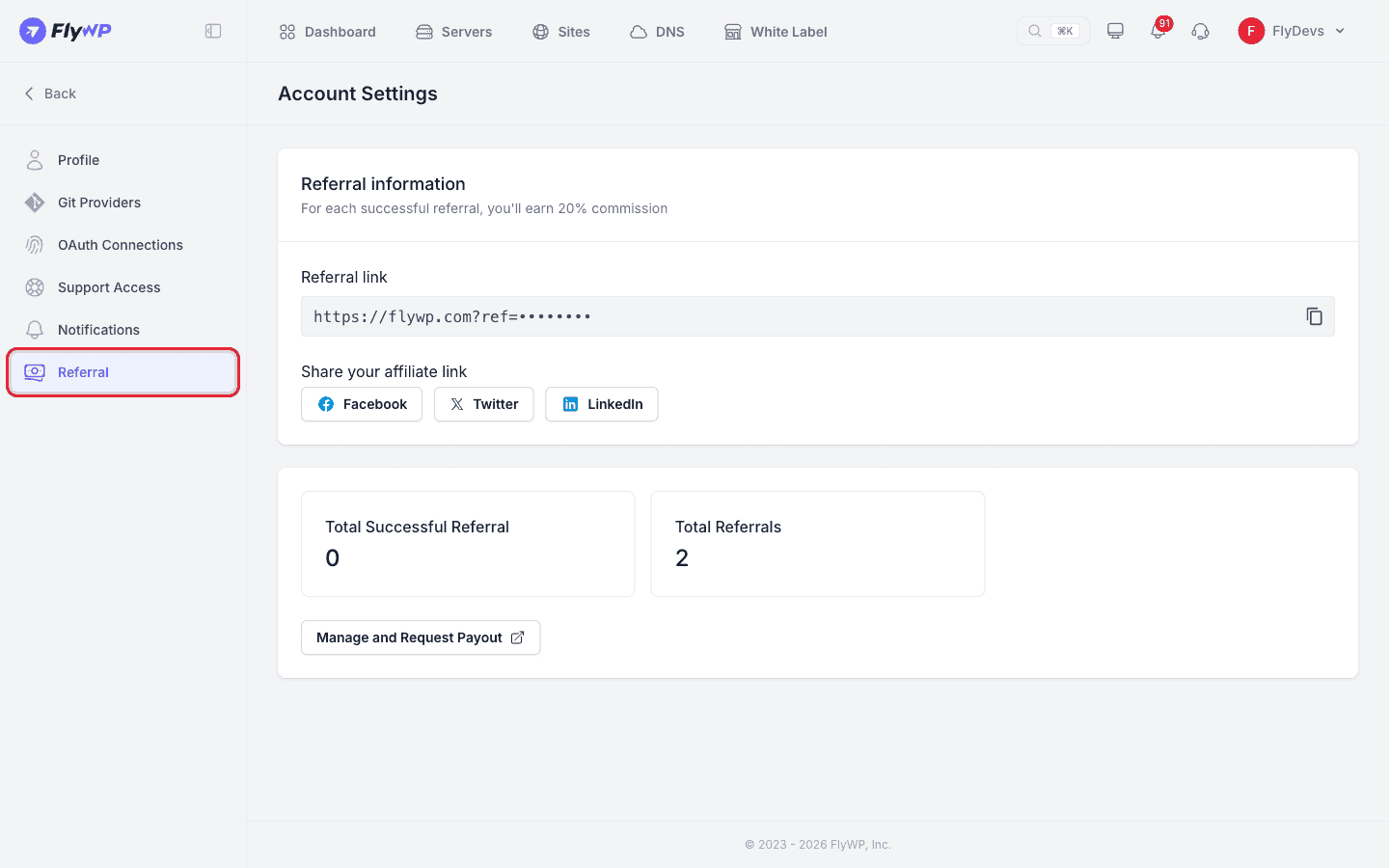
Click on the **“Join to Referral Program”** button in the middle of the screen. You’re done with the initial step.
:::caution
A welcome mail will be sent to your account with further instructions. To get full access to the [FlyWP Affiliate Dashboard](https://affiliates.flywp.com/login) please **reset your password** following your email address.
:::
### Access the Affiliate Dashboard
Login to the [FlyWP Affiliate Dashboard](https://affiliates.flywp.com/login), this is where you can see your referrals and track your commissions.
Copy your unique **“Referral link”** from the Referral Information tab and share the link with your friends or fellow buddies looking for the best server management solution for WordPress.
**Note**
- *You can also get the referral link from FlyWP’s* *Account Settings → Referral* *page*
- **Total Successful Referral** shows the count of the number of conversions
- **Total Referrals** show the count of the number of leads that clicked on your link
### How to Promote FlyWP?
**Download Marketing Materials**From our [brand-asset](https://flywp.com/brand-asset/) page, you’ll find a FlyWP media kit pack to help you promote FlyWP. Also, you will get more resources on your affiliate dashboard. including banners, social media graphics, email templates, and text links — all embedded with your unique affiliate ID to track referrals.
1. **Place Links on Your Website/Blog**Add the banners and text links to your website or blog in strategic locations. The more visible your promotion, the higher the chance of generating conversions.
2. **Share on Social Media and Email**You can also promote FlyWP via your social media accounts and email lists. Simply use the provided marketing materials and personalized links to drive traffic and referrals.
### How to Earn and Withdraw Commissions?
1. **Track Your Referrals**Every time someone clicks your affiliate link and makes a purchase on FlyWP, it will be tracked automatically through your unique referral code. You can see this in your affiliate dashboard under **“Referrals”**.
2. **Earn 20% Commission**For every paid plan sold through your affiliate link, you’ll earn a **20% commission**. On monthly plans, the commission is recurring for the first 12 months. On yearly plans, it's paid once. There’s no limit to how much you can earn. Referral tracking uses a 90-day cookie, and purchases you make yourself, upgrades, and renewals don't earn commission.
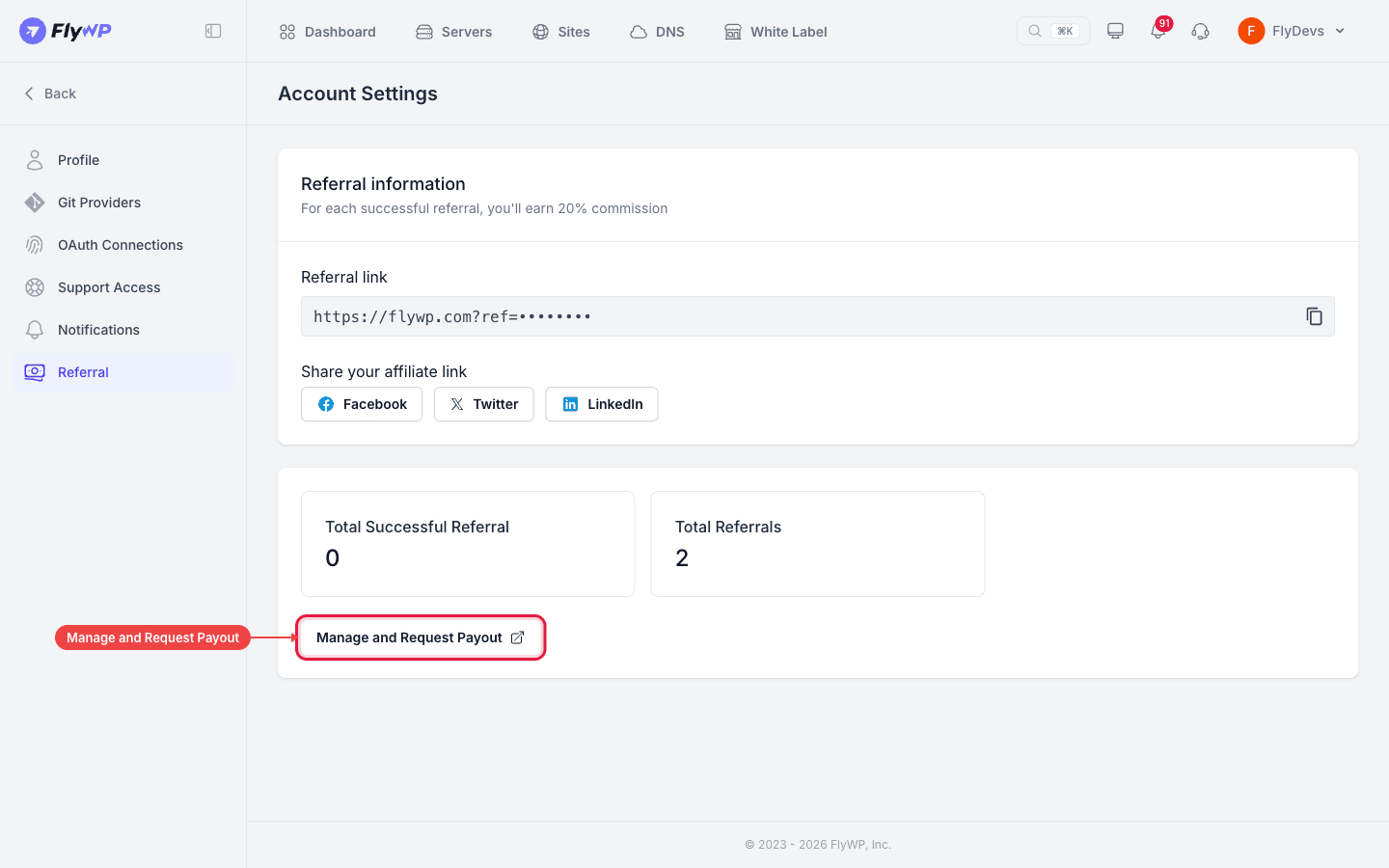
3. **Receive Payments**You can withdraw commissions 30 days after they're earned, once you reach the **$100 minimum payout**. To request a payout, click **Manage and Request Payout** on the Referral page, which opens the affiliate dashboard. You can track your earnings there too.
See the [Affiliate Terms and Conditions](https://flywp.com/affiliate-terms-and-conditions/) for the full rules.
Hope this guide helps you become a successful affiliate on FlyWP. If you face any issues, get in touch with us anytime at **support@flywp.com** and we’ll be happy to assist you.